
Set Up Automated Advance Invoicing
Last updated on Aug 25, 2026
Automatically generate early renewal Invoices for your subscriptions, based on rules and timing you define per Plan. Customize the invoice email template, attach a PDF copy, and scope generation rules to a specific Plan or price point.
Important: Advance Invoicing is available only on sites using Invoice Architecture.
Enable automatic generation
Turn on automated Advance Invoice generation, then choose whether it applies to all Plans or only the ones you select.
To automatically generate and email Advance Invoices to customers
- Go to Settings > Advance Invoices.
- Enable the Automatically Generate Advance Invoices setting.
After the option is enabled, additional fields appear:
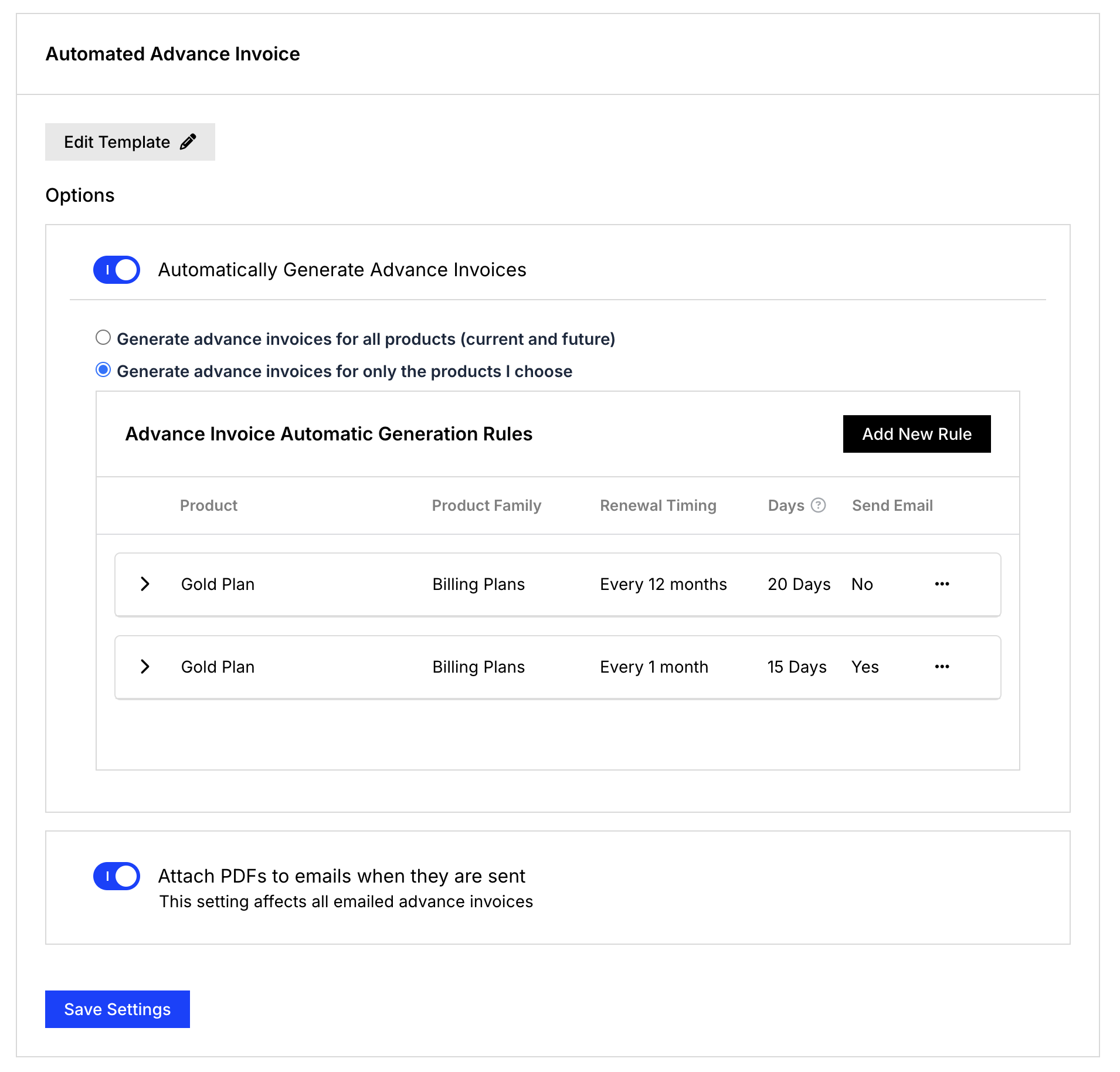
Select Generate advance invoices for all Plans (current and future) to automatically create Advance Invoices for subscriptions across all Plans at a set time before the renewal. For example, if 15 days is entered, an Advance Invoice is automatically generated 15 days before the subscription's renewal.
Select Generate advance invoices for only the Plans I choose instead to configure rules per Plan. The Advance Invoice Automatic Generation Rules table appears, listing any existing rules. Edit or delete an existing rule from its row's ... menu.
Create an automatic generation rule
Configure a rule to automatically generate an Advance Invoice for a specific Plan at a set time before its renewal.
To create a new automatic generation rule
- Click Add New Rule.
- Select a Plan and Renewal Timing in the New Automatic Generation Rule window.
- Set the number of Days before renewal.
- Optionally check Send email when advance invoice is generated.
- Click Save Rule.
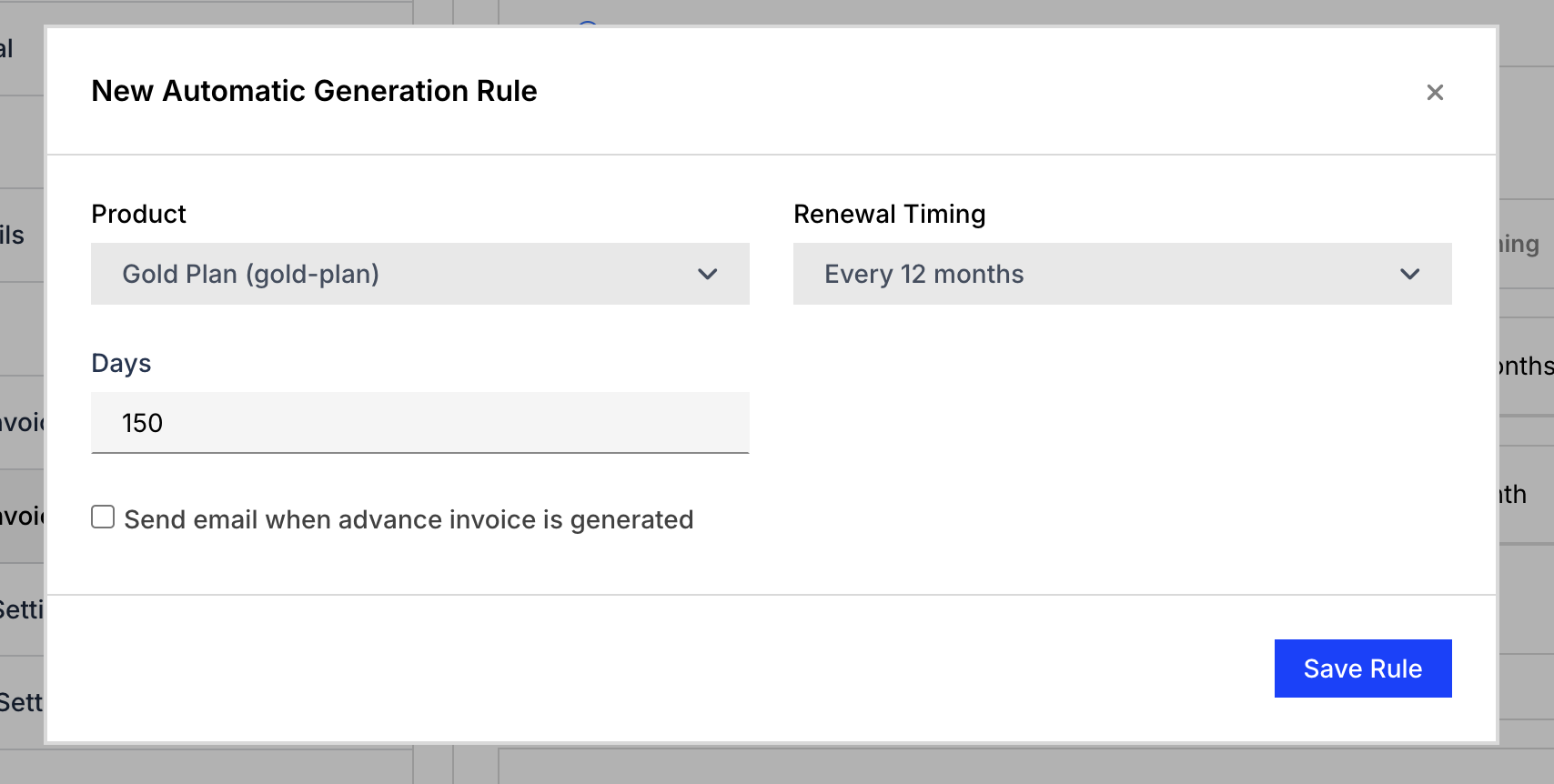
For example, if a Plan has two price points, monthly and annual, the monthly price point could have a rule set to create an Advance Invoice 15 days before renewal, while the annual Plan could have a rule that generates Advance Invoices 150 days out.
Customize the Advance Invoice email
Clicking the Edit Template button allows you to customize the email to your needs.
Additionally, enabling Attach PDFs to emails when they are sent automatically attaches a PDF version of the Advance Invoice to the Advance Invoice email. This setting affects all emailed Advance Invoices.
Related information
To customize the automated Advance Invoice email itself, see Customize Email Templates.
To issue an Advance Invoice manually for a single subscription instead of automatically, see Issue Advance Invoices for Subscription Renewals.
Still need help?
Reach out and our support team will take it from here.