
Use Advanced Formulas Between Meters
Last updated on Aug 28, 2026
BETA
This feature is currently in beta and may change over time. During the beta period, functionality, availability, and performance may vary.
To join the Beta program, request Beta access.
Attach a Formula Meter to a Product, so a mathematical expression combining multiple Meters drives the charge instead of a single Meter's raw value.
Important: Maxio Metering, at least one Meter, and the
meter_formulafeature must be enabled on your site before you begin. See Understand Advanced Formulas Between Meters.
Create a Formula Meter
-
In Advanced Billing, navigate to the Product Catalog and open the Product Family containing your Product, or create a new event-based Product.
-
On the Product, locate the Metering section and click Switch to Advanced Formula.
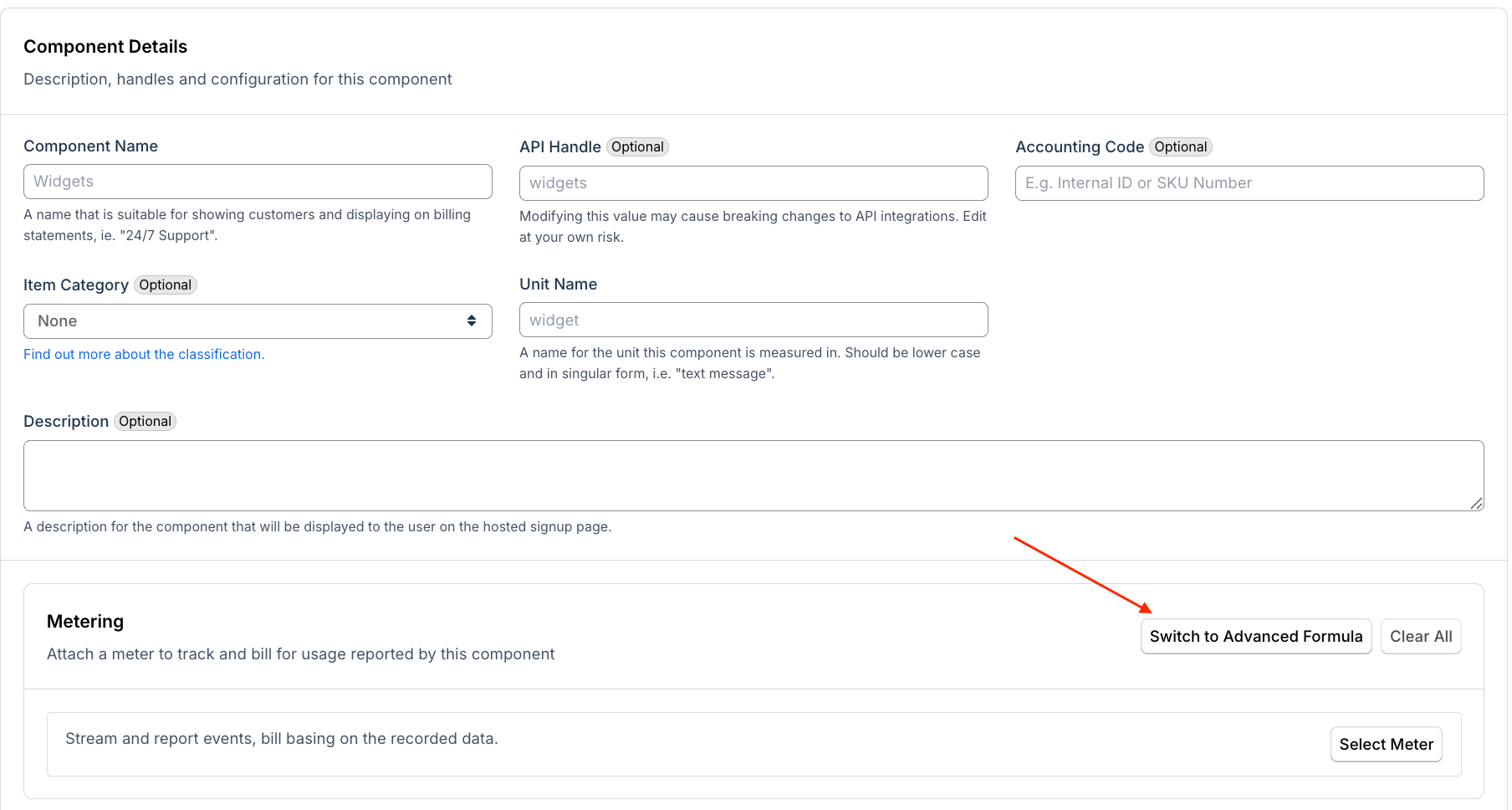
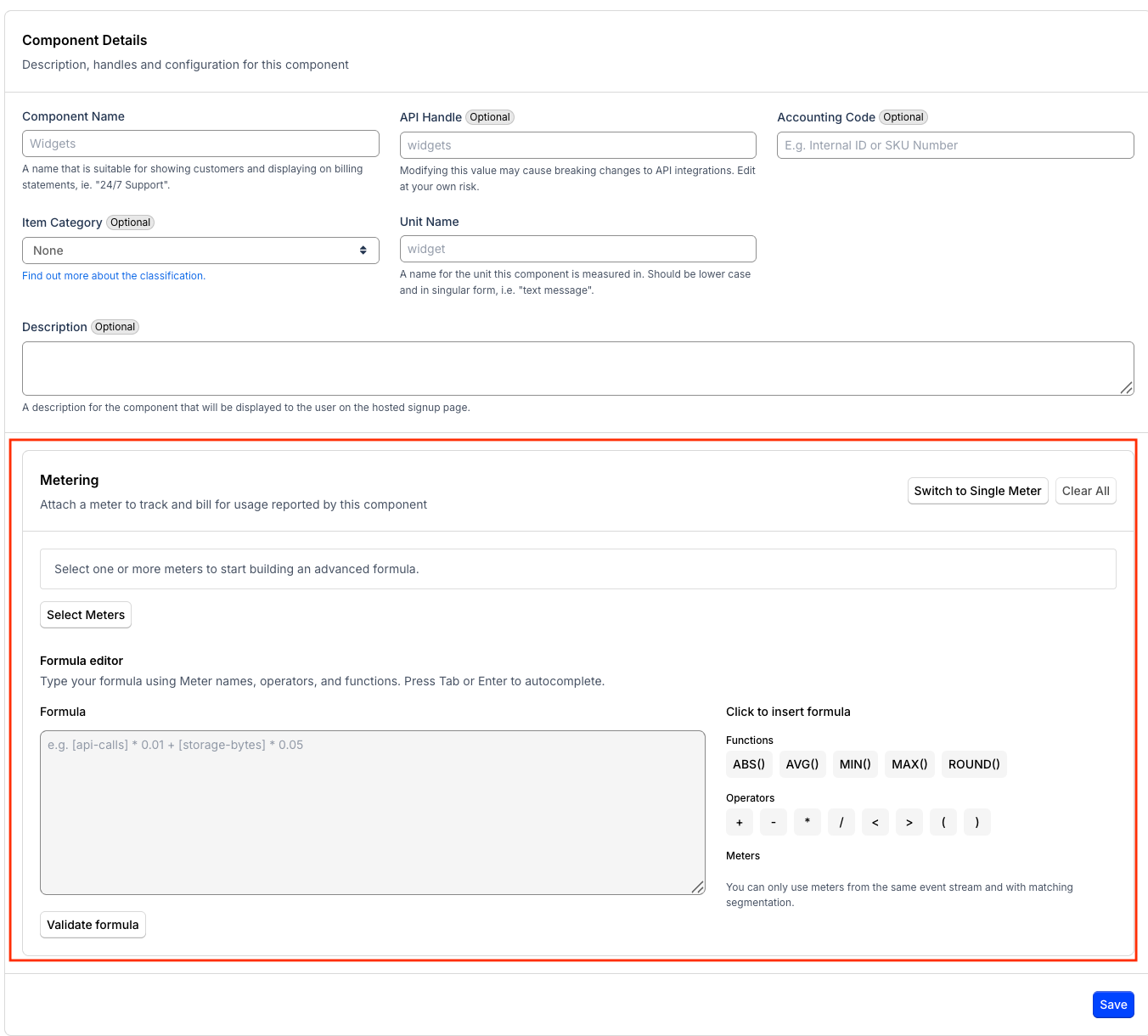
-
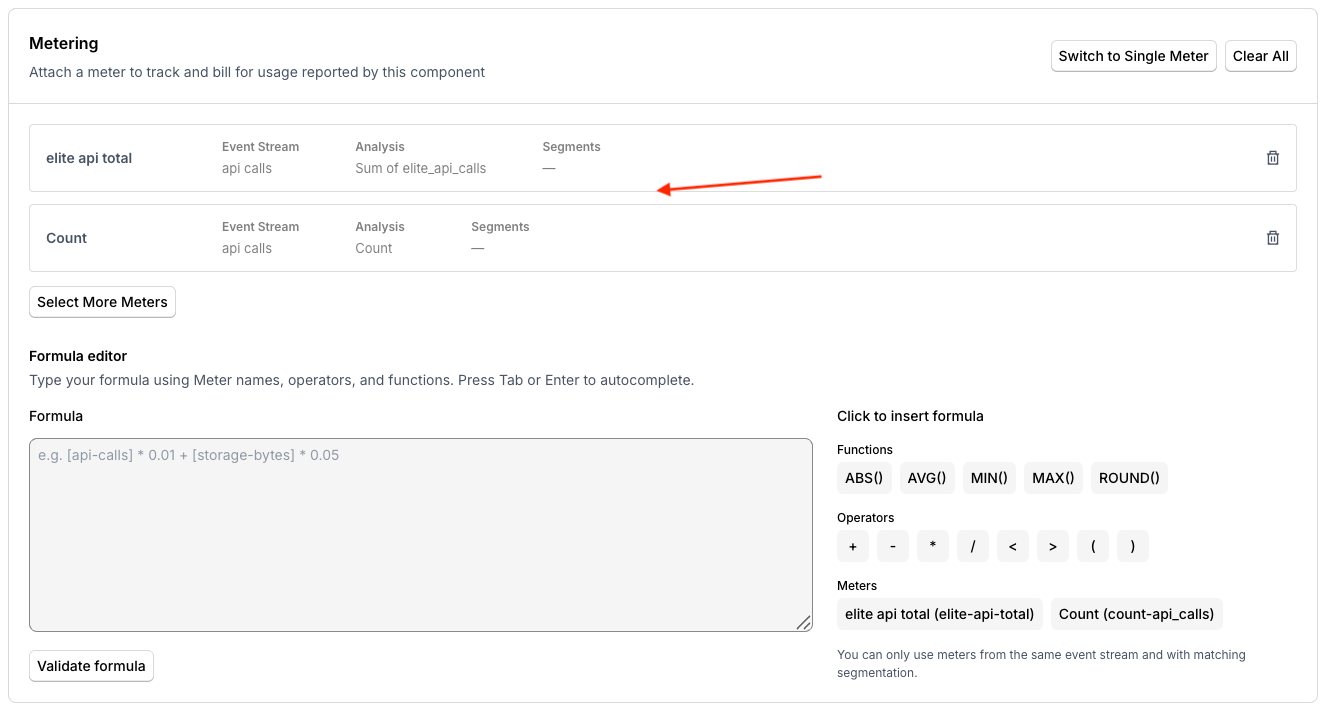
Click Select Meter to add the first member Meter. In the Attach a Meter dialog, select a Meter and click Attach Meter. Click Select More Meters to add additional Meters. All selected Meters must belong to the same Stream and Segment Group.
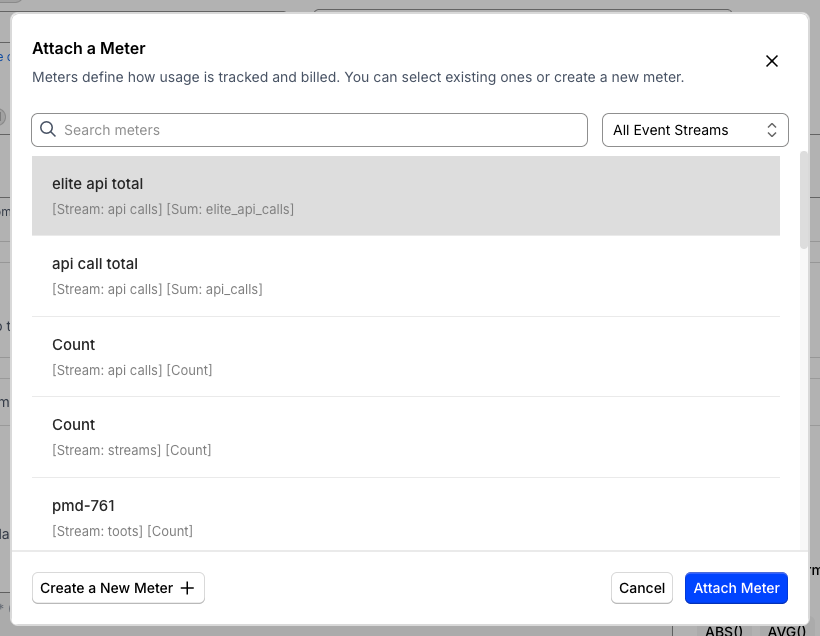
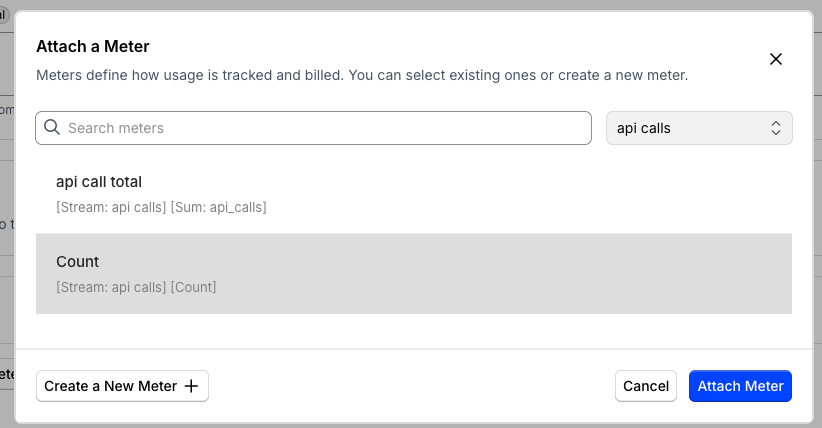
-
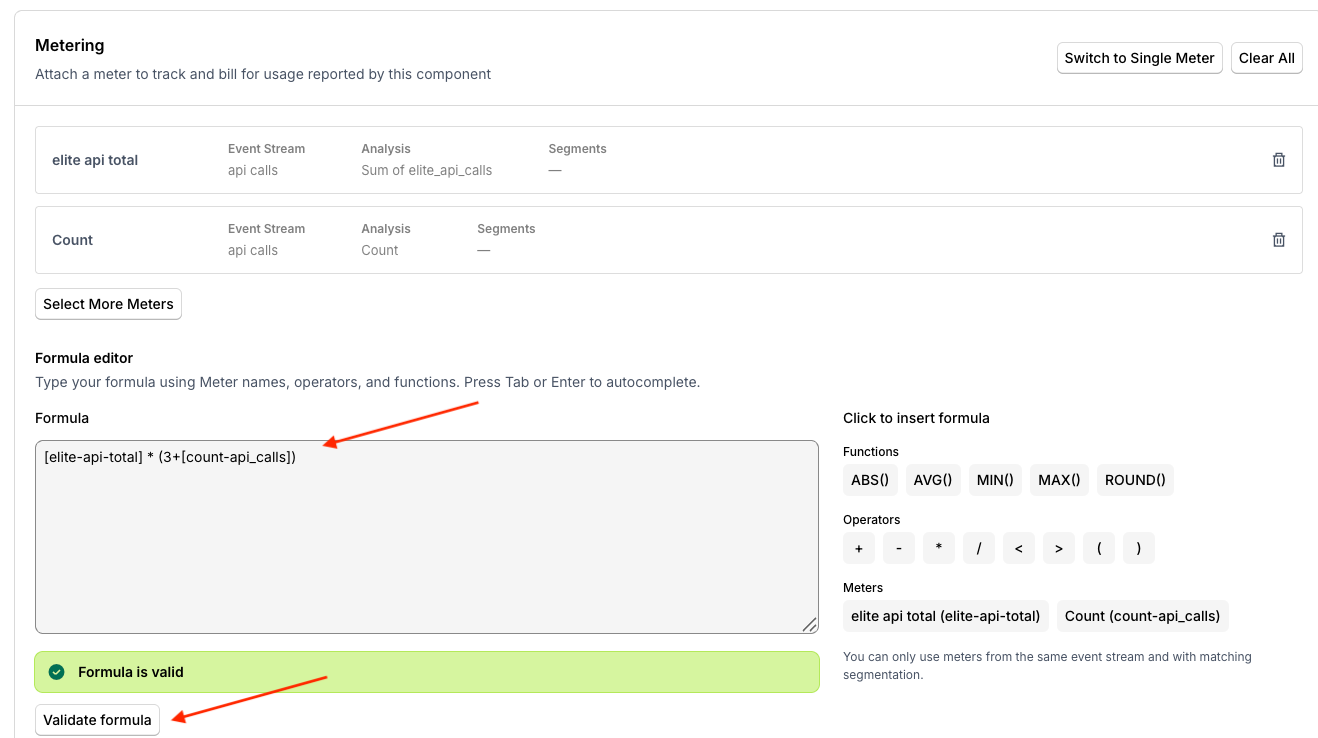
In the formula editor, enter your expression using
[meter-handle]bracket notation, for example[elite-api-total] * (3+[count-api_calls]). Press Tab or Enter to autocomplete a Meter name or function as you type. -
Click Validate formula to check your formula. A success message confirms the syntax is valid and all Meter references exist.
-
Save the Product. At the next billing cycle, Maxio evaluates the formula using live Meter values, and the result appears as the billable quantity on the Invoice.
Supported formula syntax
| Element | Syntax | Example |
|---|---|---|
| Meter reference | [meter-handle] | [api-calls], [storage-gb] |
| Addition | + | [reads] + [writes] |
| Subtraction | - | [revenue] - [cost] |
| Multiplication | * | [calls] * 0.01 |
| Division | / | [total] / [count] |
| Less than | < | [usage] < 1000 |
| Greater than | > | [usage] > 1000 |
| Grouping | ( ) | ([reads] + [writes]) * 0.01 |
| Absolute value | ABS(expr) | ABS([inbound] - [outbound]) |
| Average | AVG(a, b) | AVG([reads], [writes]) |
| Minimum | MIN(a, b) | MIN([usage], 1000) |
| Maximum | MAX(a, b) | MAX([usage] - [included], 0) |
| Round | ROUND(expr, places) | ROUND([revenue] / [count], 2) |
Related information
For formula syntax used within a display-only Metered Field instead of a billing Product, see Use Advanced Formulas with Metered Fields.
Still need help?
Reach out and our support team will take it from here.