
Cross-Site Export Fields Reference
Last updated on Aug 26, 2026
Users who have owner or admin permissions can access an exports page from the merchant dashboard. This page allows select exports to be generated across all sites into one consolidated CSV. This reference lists every field included in the MRR and Usage Movements and Sales Commission cross-site export types and explains what each one means.
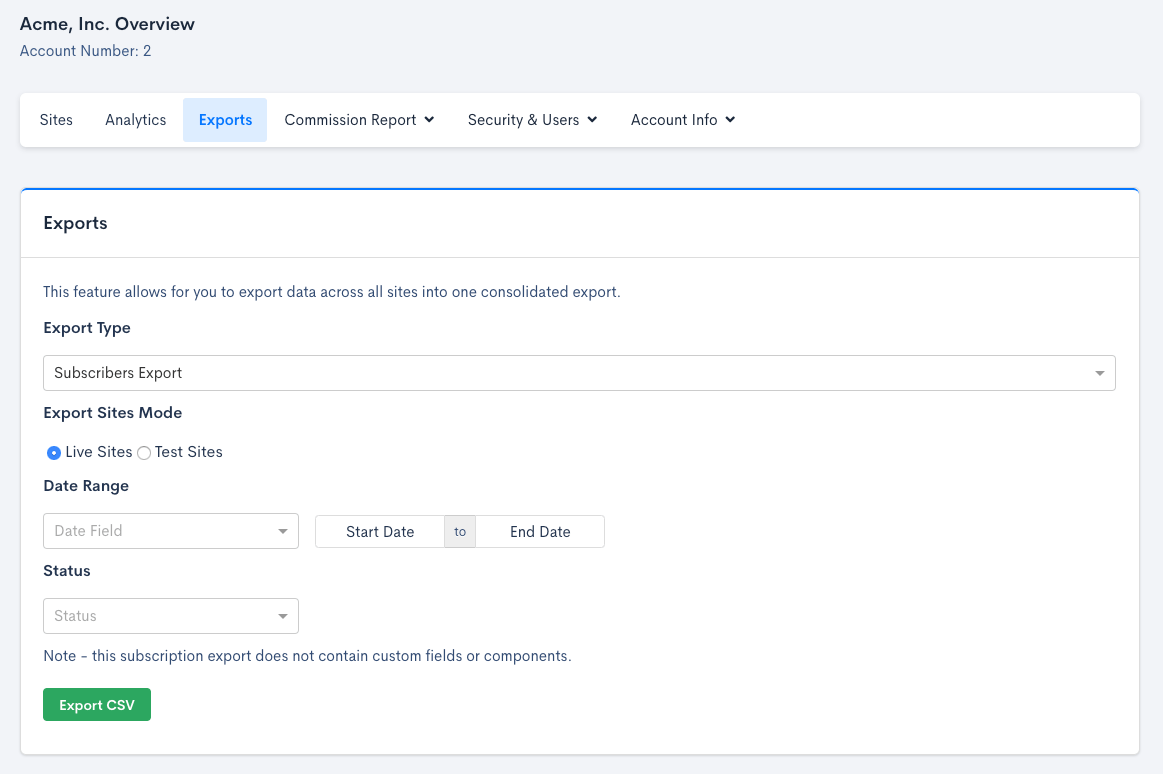
Below are three of the currently supported cross-site exports, documented on this page:
- Subscribers Export. This export does not contain custom fields or components.
- MRR and Usage Movements
- Sales Commissions
Cross site MRR and usage movements fields
| Field | Description | Column |
|---|---|---|
timestamp | Timestamp indicating when the MRR event occurred | A |
category | The type of the MRR event: new_business, expansion, reactivation, contraction, churn | B |
mrr_movement | The growth (either positive or negative) using the site’s currency | C |
mrr_movement_in_seller_currency | The growth (either positive or negative) using the seller’s currency | D |
description | An English explanation of the MRR event. For example, “Delores Quigley increased Widgets to 64 (+47).” | E |
subscription_id | The unique identifier for the Subscription | F |
subscriber_name | The name of the subscriber | G |
subscription_url | Direct URL to the Subscription | H |
type | Describes the revenue type - either recurring or usage revenue | I |
reason_code | The Churn Reason Code | J |
site_id | The unique identifier for the Site | K |
site_subdomain | The Site subdomain name | L |
site_currency | The currency code for the Site | M |
site_currency_symbol | The currency symbol for the Site | N |
seller_currency | The currency code for the Seller | O |
seller_currency_symbol | The currency symbol for the Seller | P |
Sales commission fields
The trailing 12 columns of the Sales Commission Export contain the current month plus the previous 5 months of subscription MRR and usage (metered) revenue, most recent first. Each month contributes two columns, named dynamically after that month (e.g. aug_2026_mrr, aug_2026_usage), not fixed column names.
| Field | Description | Column |
|---|---|---|
subscription_id | The ID for the subscription | A |
subscription_created_at | Timestamp for when the subscription was created | B |
customer_id | The ID of the customer associated with the subscription | C |
customer_name | The name of the customer associated with the subscription | D |
product_id | The ID of the current product for the subscription | E |
site_id | The ID of the site | F |
site_subdomain | The subdomain of the site | G |
first_billing_at | The timestamp of the subscription’s first billing | H |
last_billing_at | The timestamp of the subscription’s latest billing | I |
first_payment_at | The timestamp of the subscription’s first payment | J |
last_payment_at | The timestamp of the subscription’s latest payment | K |
in_dunning | Indicates whether or not the subscription is past due | L |
churned_at | The timestamp for when the subscription canceled or revenue dropped to $0 | M |
days_to_churned_at | Number of days between subscription created at and churned at | N |
sales_rep | The sales rep associated with the subscription | O |
number_of_payments | The number of payments | P |
seller_currency | The currency code for the Seller | Q |
seller_currency_symbol | The currency symbol for the Seller | R |
<month>_mrr | The subscription's monthly recurring revenue value for that month (e.g. aug_2026_mrr) | S |
<month>_usage | The subscription's usage revenue value for that month (e.g. aug_2026_usage) | T |
Related information
For subscription, customer, invoice line items, and transaction export fields, see Billing Export Fields Reference. To learn how to initiate a data export, see Understand Data Export.
Still need help?
Reach out and our support team will take it from here.