
Resolve Mismatched Finance Summary and Financial Performance Summary Reports
Last updated on Sep 19, 2026
The Finance Summary Report and Financial Performance Summary can show different Revenue, Deferred Revenue, and Unbilled AR figures for the same period, even when they look similarly configured. This usually comes down to how each report selects its data, combined with incomplete or inaccurate Item Account Settings.
Why the reports differ
The Financial Performance Summary is built by selecting Income Accounts, and it automatically includes the Items linked to those accounts behind the scenes:
- If an Item has only an Income Account, the report includes Revenue and Invoices, but omits Deferred Revenue and Unbilled AR.
- If an Item has Income, Liability, and Asset Accounts all set, the report includes Revenue, Deferred Revenue, and Unbilled AR.
The Finance Summary Report can filter by either Accounts or Items:
- When filtered by Items, the report includes Revenue, Deferred Revenue, and Unbilled AR regardless of the Item's Account Settings.
- When filtered by Accounts, only Items linked to those Accounts are included.
If two similarly configured reports produce different results, it's usually because of how your Items are linked to Accounts, including incomplete or inaccurate setup.
Find incomplete Item Account Settings
If you have this condition, an "Items with Incomplete Account Settings" warning appears on your Home page and on many reports:
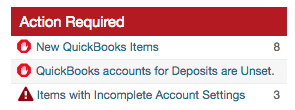

Click the warning to open your Items list, filtered to just the Items that need attention. To fix an Item's Account Settings, see Review Item Fields.
Financial Performance Summary details
The Financial Performance Summary is built by selecting Income Accounts. You can't select Asset or Liability Accounts, and there's no option to select by Item.
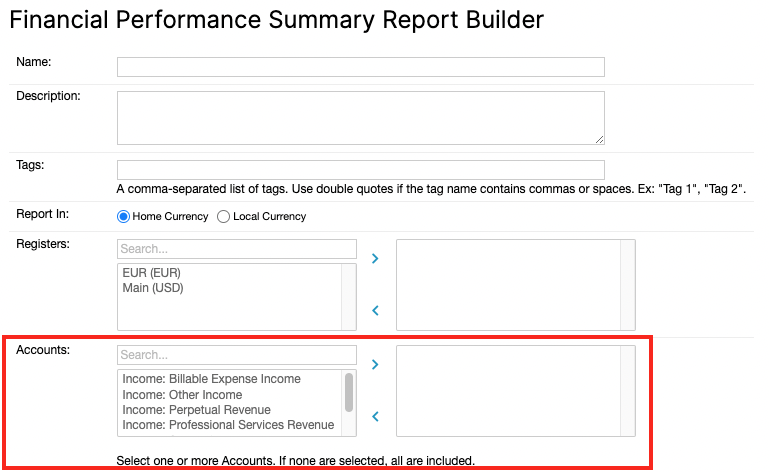
Technically, the report includes records by matching Items, but it builds that Item list dynamically and behind the scenes, based on each Item's linked Accounts. Because of this, each Item's Account Settings have a significant impact on the report's results.
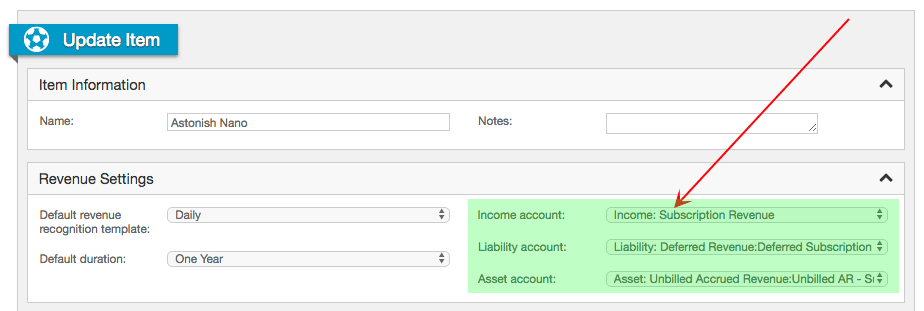
If a Transaction or Invoice Line Item uses an Item that has all three Account links defined (Income, Asset, and Liability), it's included in the calculations for Revenue, Deferred Revenue, and Unbilled AR.
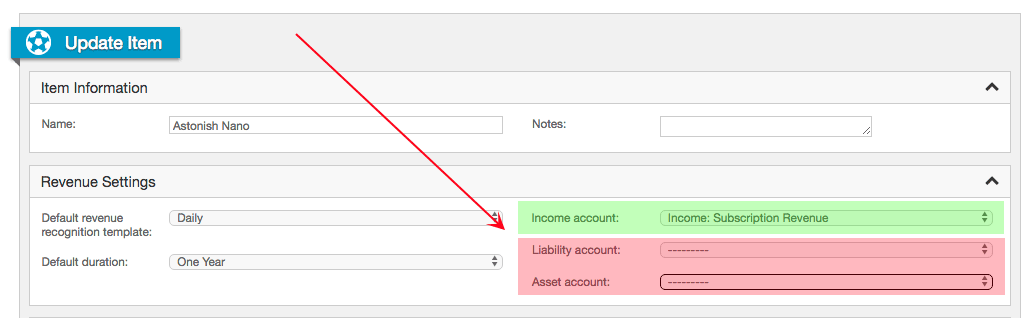
If a Transaction or Invoice Line Item uses an Item that has only an Income Account link defined, it's only included in the calculation for Revenue.
Finance Summary Report details
The Finance Summary Report can filter by either Accounts or Items, and which one you use changes whether Item Account Settings affect the result.
When Items are selected in the report definition
If a Transaction or Invoice Line Item uses an Item selected directly in the report definition, it's included in the calculations for Revenue, Deferred Revenue, and Unbilled AR. The Item's Account Settings have no impact on these calculations.
When Accounts are selected in the report definition
If a Transaction or Invoice Line Item uses an Item linked to one or more of the Accounts selected in the report definition, it's included in the calculations for Revenue, Deferred Revenue, and Unbilled AR.
Example: a mismatched report
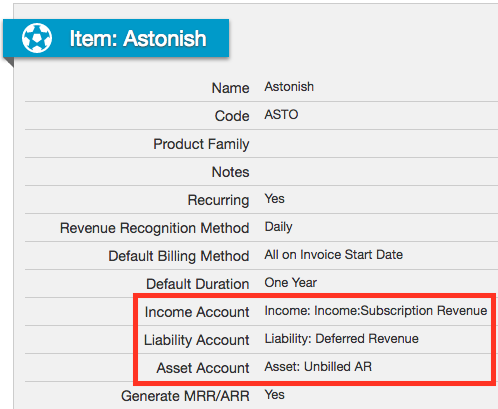
This Contract has one annual Transaction, invoiced on the start day, with revenue recognized over the one-year term. The Item "Astonish" has an Income Account set, but no Liability or Asset Account.

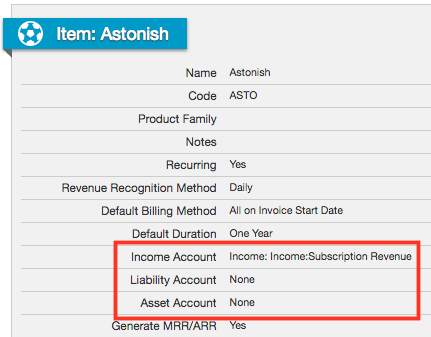
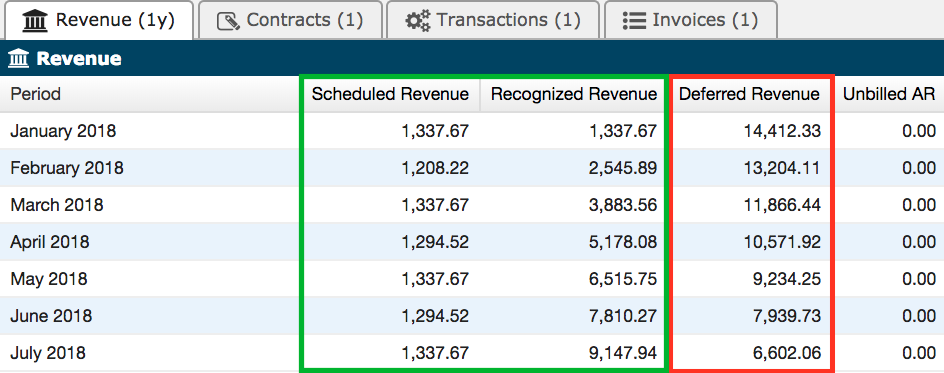
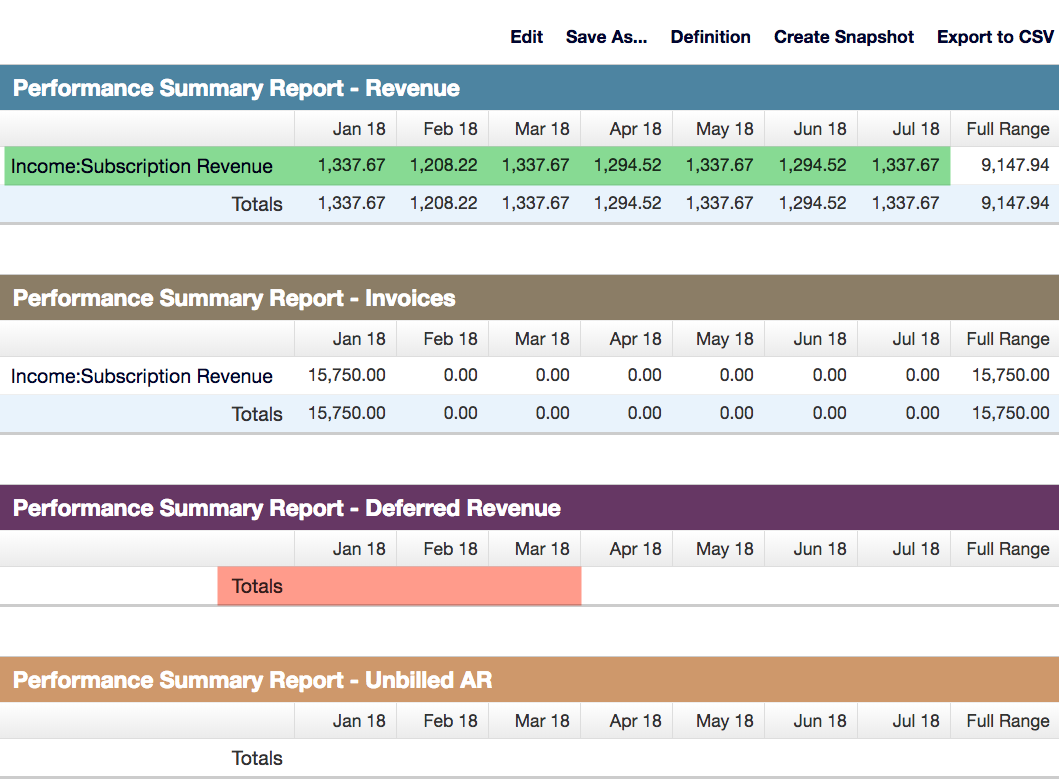
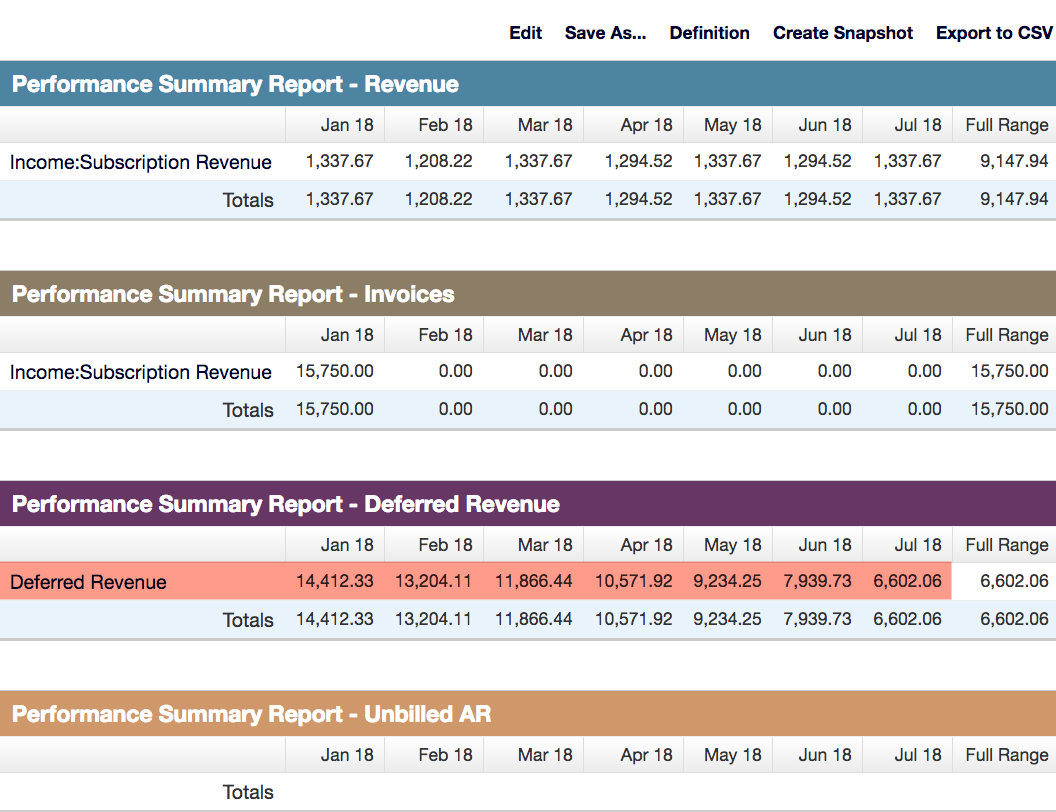
Because the Item is only linked to an Income Account, the Financial Performance Summary includes Revenue and Invoices, but neither Deferred Revenue nor Unbilled AR:
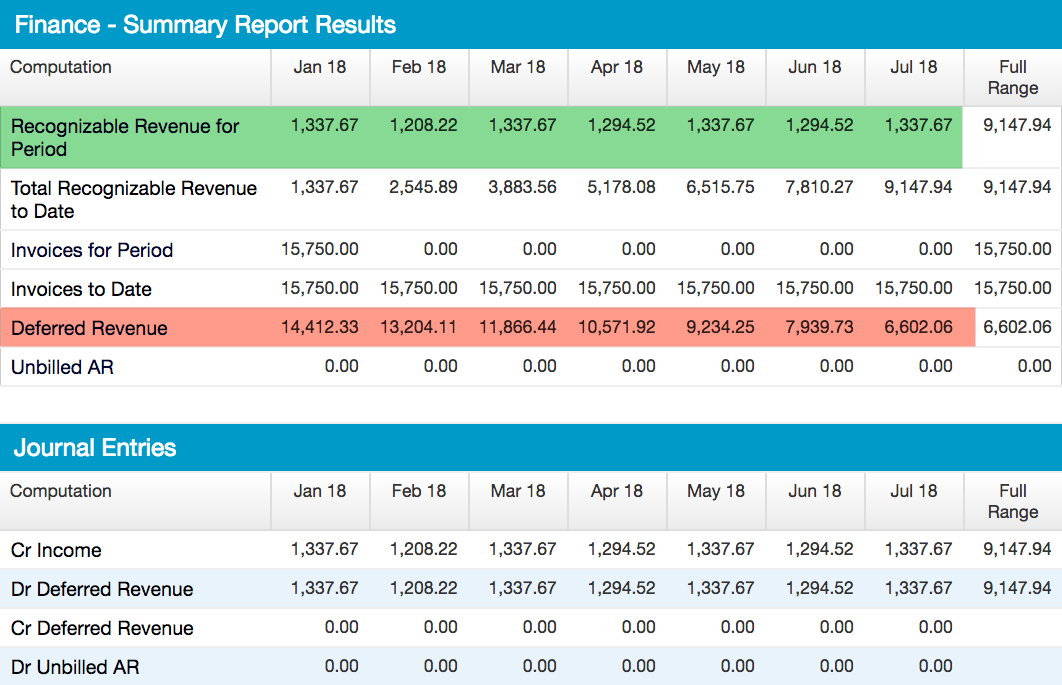
As long as the report definition includes the Astonish Item or its Income Account, the Finance Summary Report includes Deferred Revenue and Unbilled AR:
Resolve the mismatch by updating Item Account Settings
If you update the Item to also set its Liability and Asset Accounts, the Financial Performance Summary starts calculating Deferred Revenue. The Finance Summary Report is unaffected by this change, since it never depended on the Item's Account Settings in the first place.
Still need help?
Reach out and our support team will take it from here.