
Understand Payment Pre-Authorizations
Last updated on Aug 24, 2026
Some electronic transactions may be required to have the card validated at the bank level before the card can be stored in Advanced Billing. This is called pre-authorization. When a credit card is added to a Subscription within Advanced Billing, the card must be validated before it can be attached to a Subscription. This protects both you and the consumer:
- You, as the merchant, are protected from false signups with a bogus card, since pre-authorization validates the card before it's used.
- Your subscribers are protected from a negative shopping experience, since only valid cards can be entered into the Advanced Billing platform.
If an amount is due when a card is stored, such as at signup or when updating the card on a past due or unpaid subscription, a separate pre-authorization is not performed.
Authorization amount
Transactions initiated with a debit card or credit card are assessed a $1.00 authorization. This is not a charge, but it may be visible to the customer before it is reversed. In the case of debit cards, authorization holds can fall off the account, thus rendering the authorization amount available again, anywhere from 1 to 8 business days after the transaction date depending on the bank's policy. In the case of credit cards, holds may last as long as 30 days, depending on the issuing bank.
Turn off authorization
Advanced Billing or the gateway always authorizes a card in some way when it is added, whether by sending an explicit auth request or allowing a subsequent payment to implicitly validate it. That said, there is a select set of gateways where this authorization setting can be turned off:
- Authorize.Net
- Bambora/Beanstream
- Braintree
- NMI
- TrustCommerce
Turning off authorizations usually results in higher decline rates.
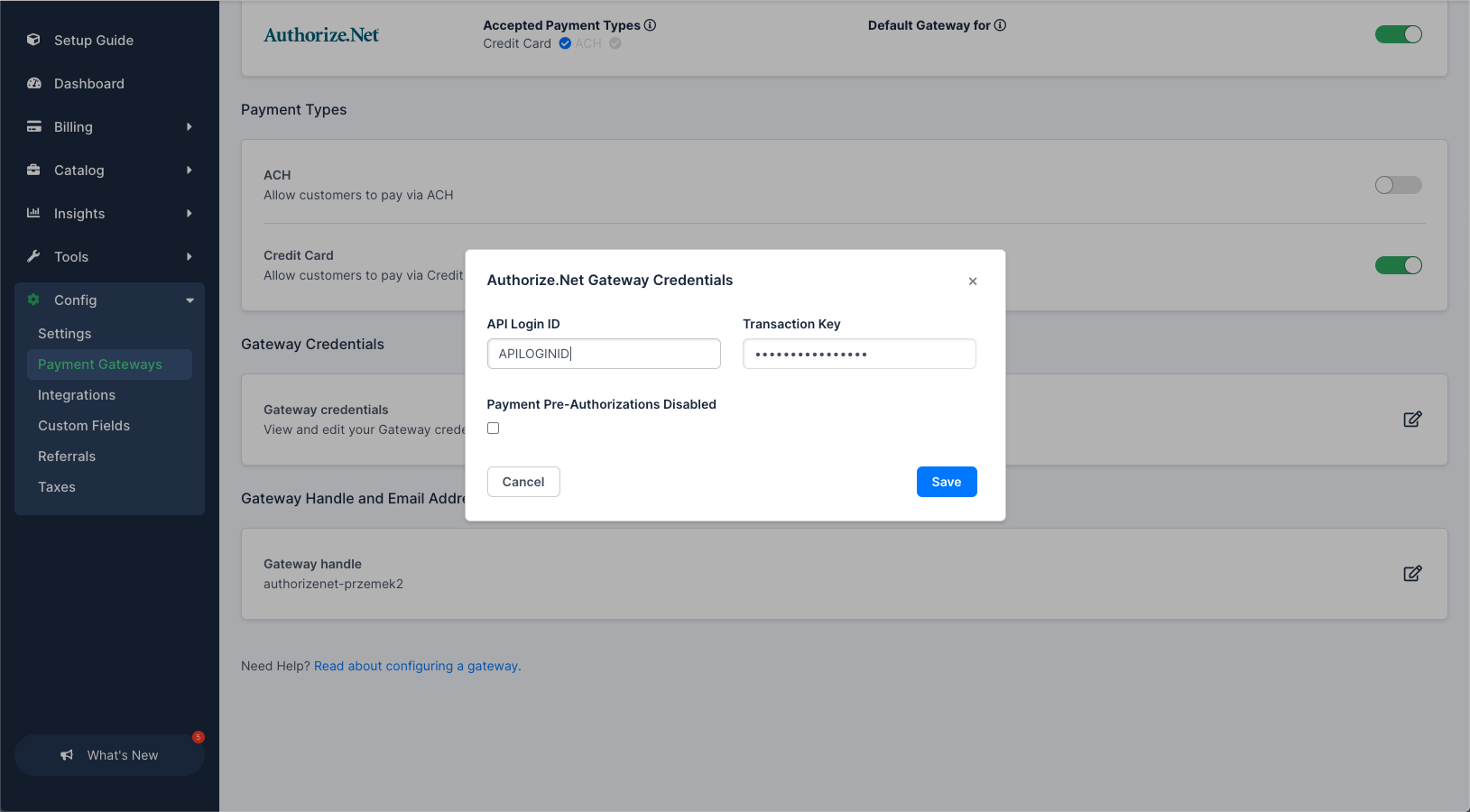
Sites with the Multi-Gateway feature enabled
This setting can be managed under Config > Payment Gateways, individually for each of the aforementioned gateways:
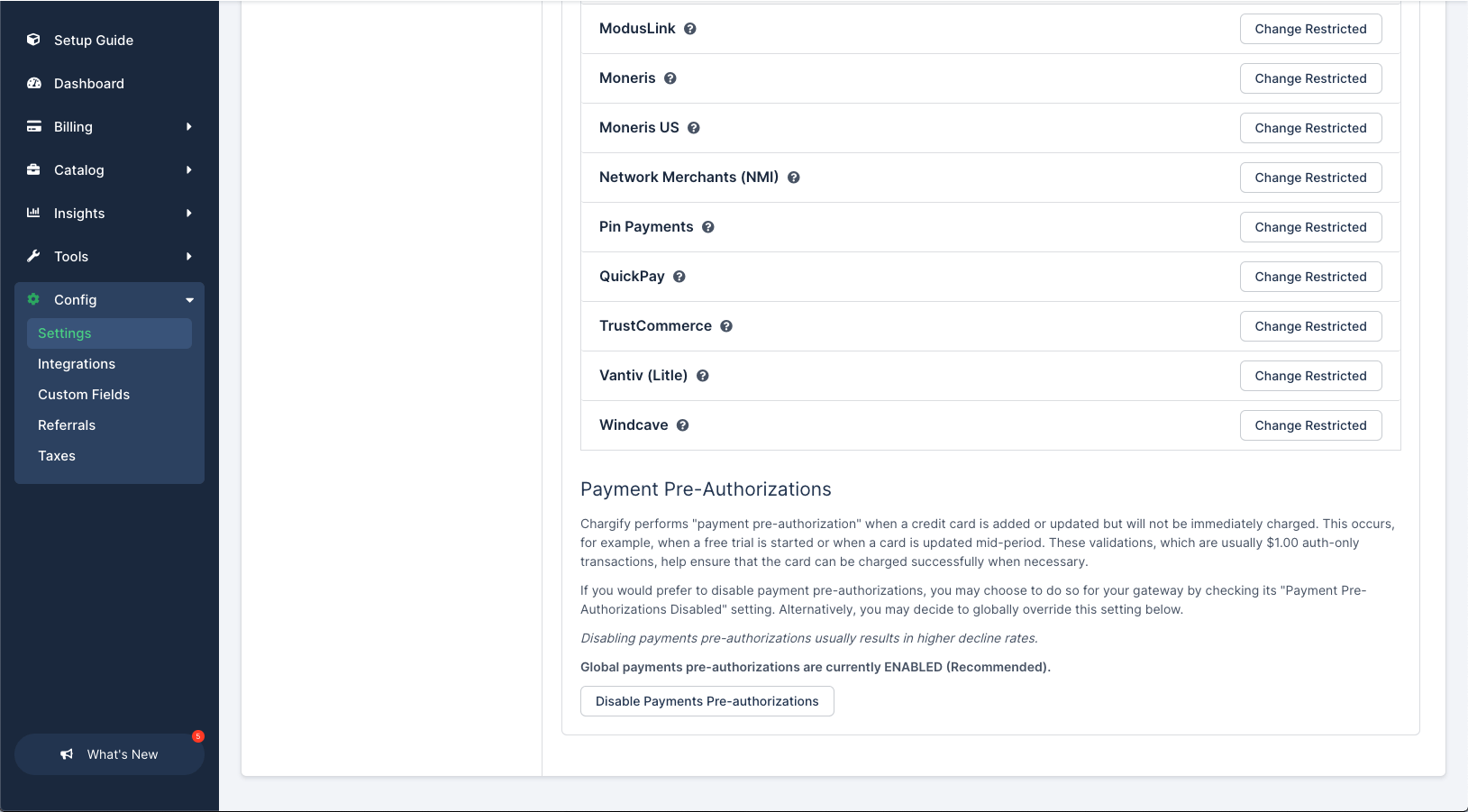
Sites without the Multi-Gateway feature enabled
This setting can be managed under Config > Settings:
Still need help?
Reach out and our support team will take it from here.