
Configure Order Entry Transaction Definitions for Intacct
Last updated on Aug 28, 2026
Configure Order Entry transaction definitions in Intacct so invoices and credit memos sent from Maxio post to the correct accounts receivable account.
Set up the transaction definition for invoices
Maxio recommends sending invoices as Sales Invoice, given the reporting enhancements this provides within Intacct.
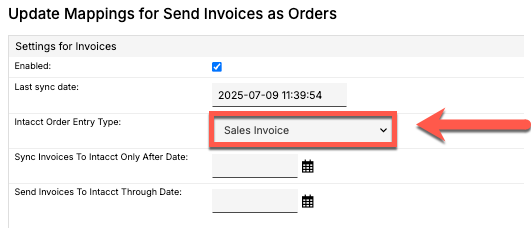
Sales Invoices require proper definition in Intacct to sync correctly.
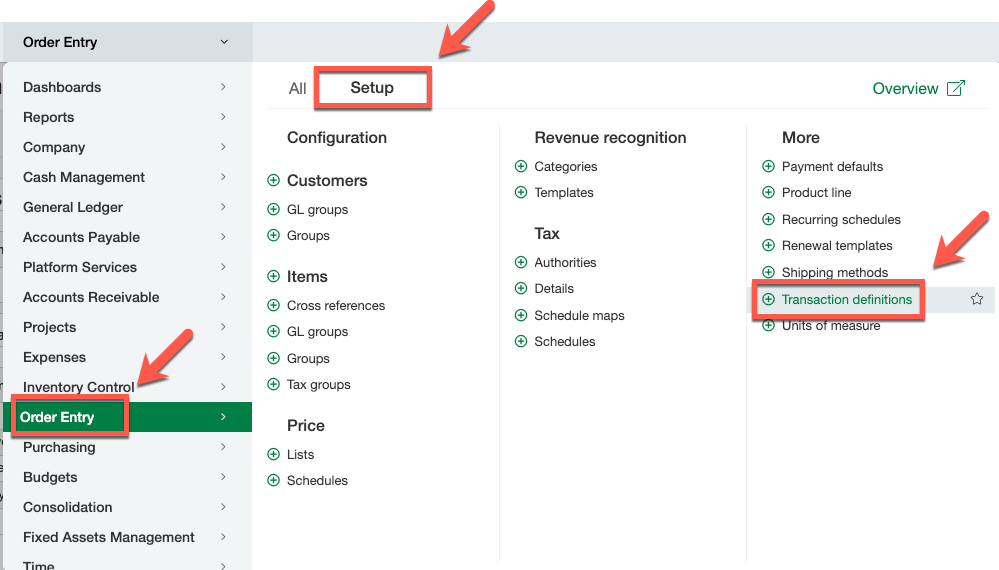
- Navigate to Order Entry > Setup > Transaction definitions.
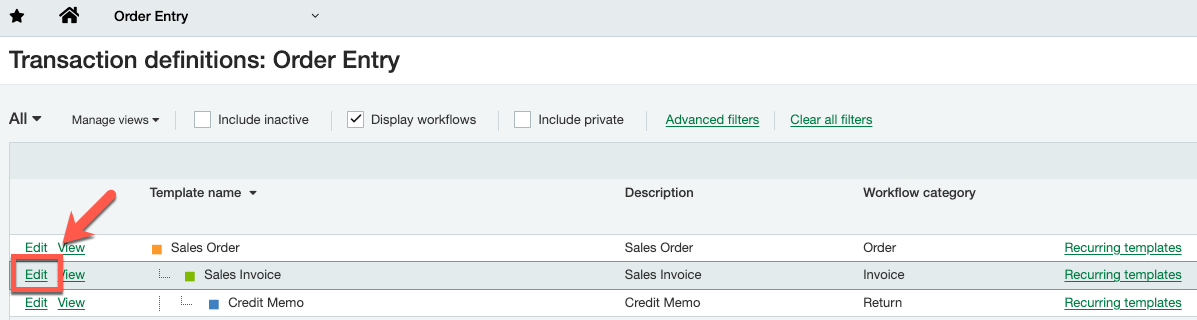
- Select the relevant item (for example, Sales Order) and click Edit.
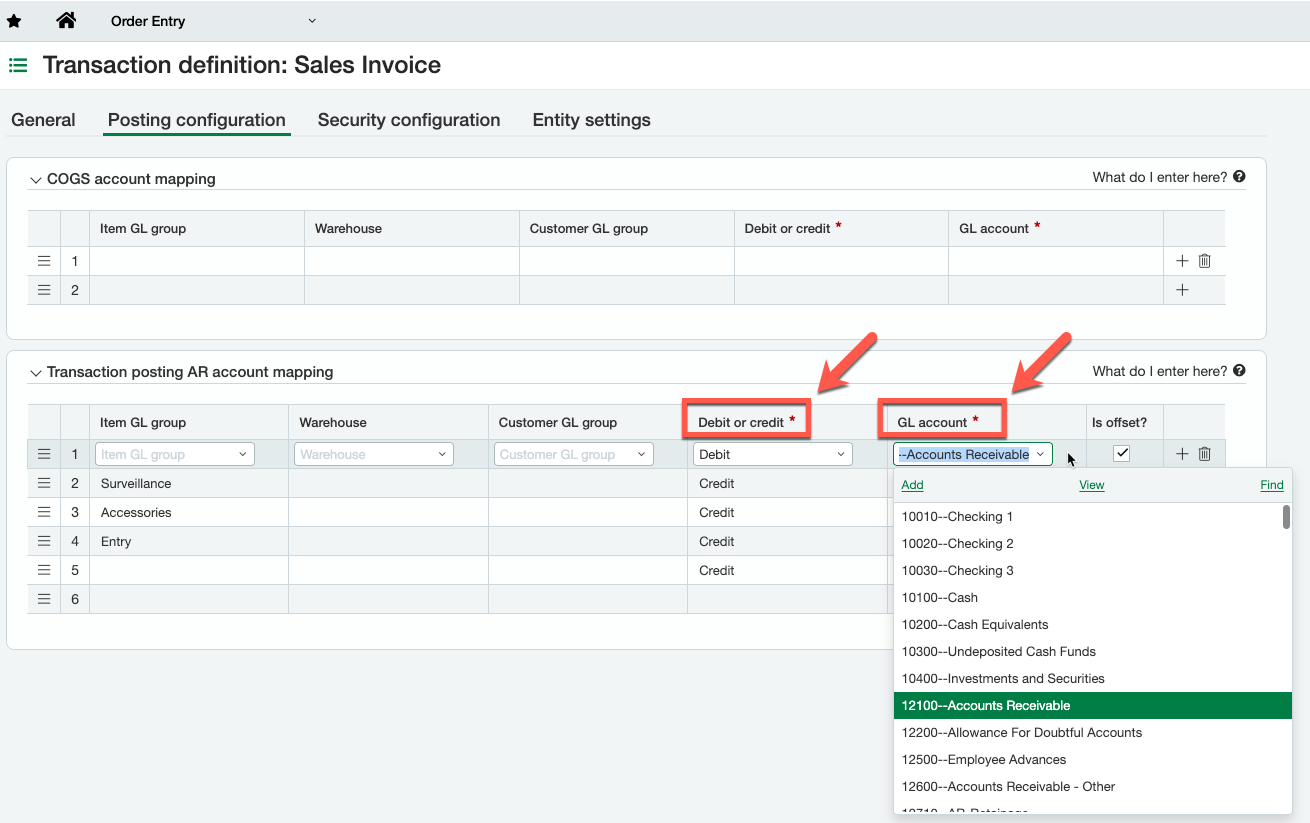
- In the posting AR account mapping, set debit to the relevant GL account (most likely Accounts Receivable).
- Click Save.
Set up the transaction definition for credit memos
Maxio recommends sending credit memos as Sales Invoice, given the reporting enhancements this provides within Intacct.
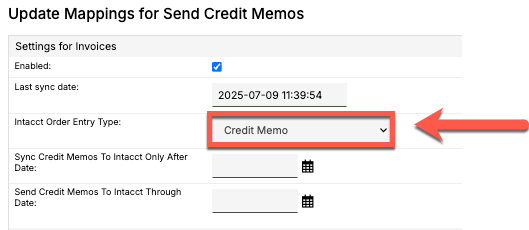
Sales Invoices require proper definition in Intacct to sync correctly.
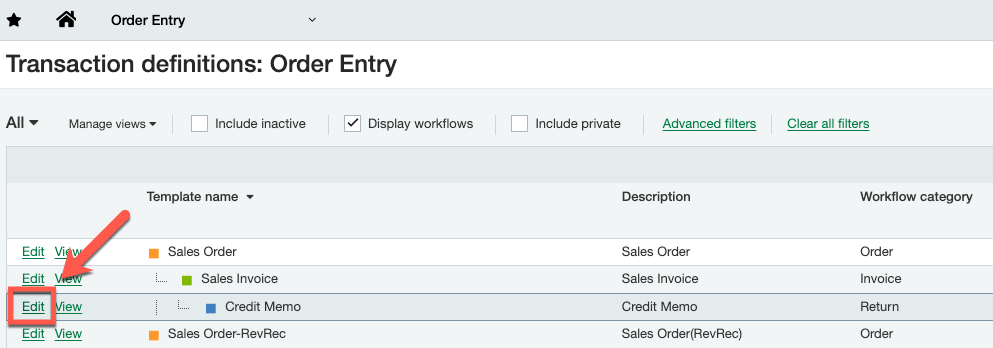
- Navigate to Order Entry > Setup > Transaction definitions.
- Select the relevant item (for example, Sales Order) and click Edit.
- In the posting AR account mapping, set credit to the relevant GL account (most likely Accounts Receivable).
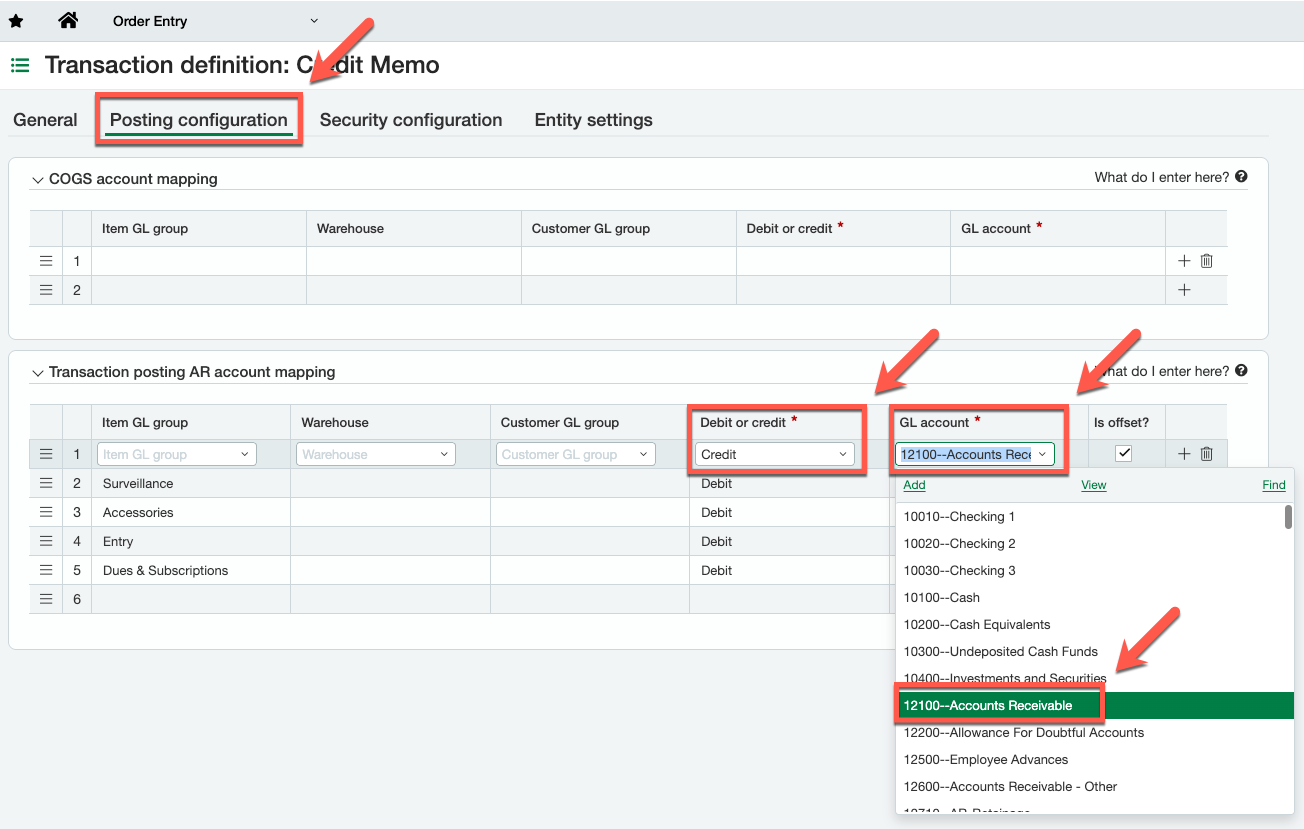
- Click Save.
Related information
To understand what each sync step does, including Send Invoices as Orders and Send Credit Memos, see Understand Intacct Sync Steps.
To configure sync filters and general settings, see Configure the Intacct Integration.
For common sync errors and how to resolve them, see Troubleshooting and FAQs.
Still need help?
Reach out and our support team will take it from here.