
Manage a Subscription Group's Payer
Last updated on Aug 27, 2026
Every Subscription Group has one payer: the Customer who carries billing responsibility for the whole group and receives its consolidated invoice. Find who that Customer is, or update the payment method charged against the group, from the Subscription Group page.
Find the payer
The Payer section, in the sidebar of the Subscription Group page, shows who's responsible for the group's billing. Select the Customer's name to open their Customer record.
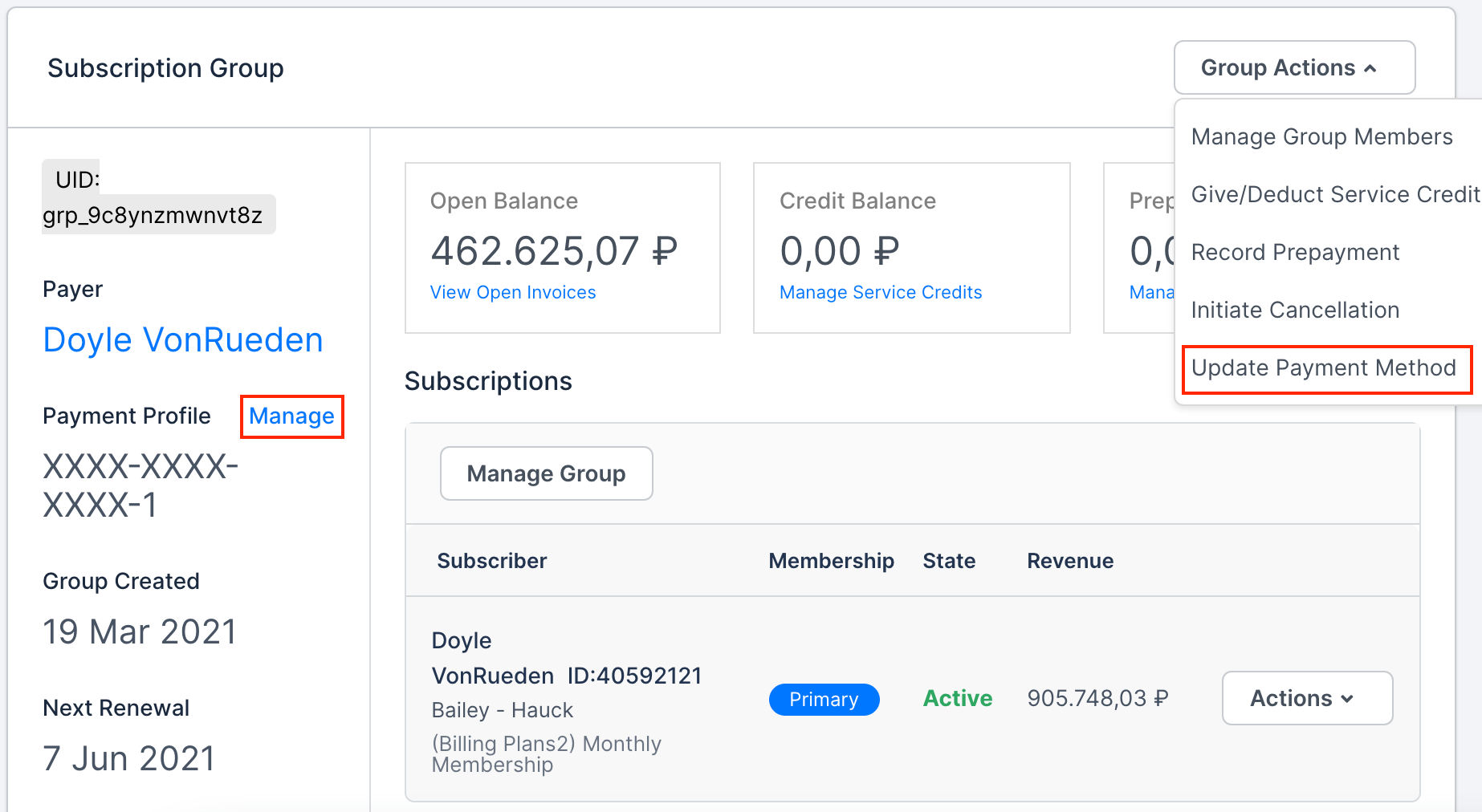
The payer isn't necessarily a member of the group. Payment responsibility can sit with a Customer elsewhere in the same hierarchy, such as a parent company paying for its subsidiaries' Subscriptions.
Manage the payer's payment method
Select Manage next to Payment Profile in the sidebar, or select Update Payment Method from the Group Actions dropdown. Both routes open the same Manage Payment Profile screen, where you can add, edit, or delete the group's payment profile.
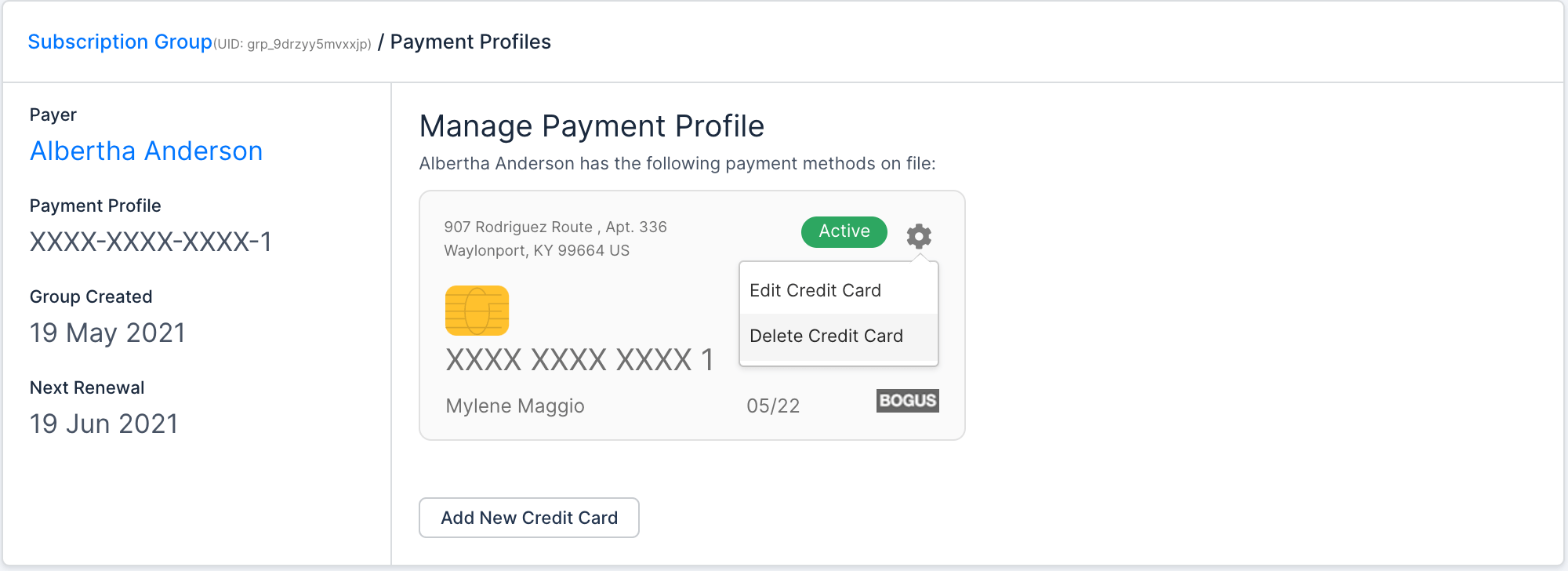
Because the group bills as one document against this profile, a failed or expired payment method here affects every Subscription in the group at once, not just one member's.
Related information
For the full list of actions available from the Group Actions dropdown, see Manage a Subscription Group.
For how Subscription Groups work overall, see Understand Subscription Groups.
Still need help?
Reach out and our support team will take it from here.