
Put a Subscription on Hold
Last updated on Aug 27, 2026
Pause an Active Subscription so it stops billing, without canceling it, until you're ready to resume it.
Please be aware that this article covers one of the many actions available for managing your subscriptions.
Put a Subscription on hold
Important: A Subscription can be put on hold only if it's Active or Trialing, has more than an hour remaining in its current billing period, and isn't a Term Subscription.
While a Subscription is On Hold, it doesn't go through the renewal process, and nothing is charged to the Customer.
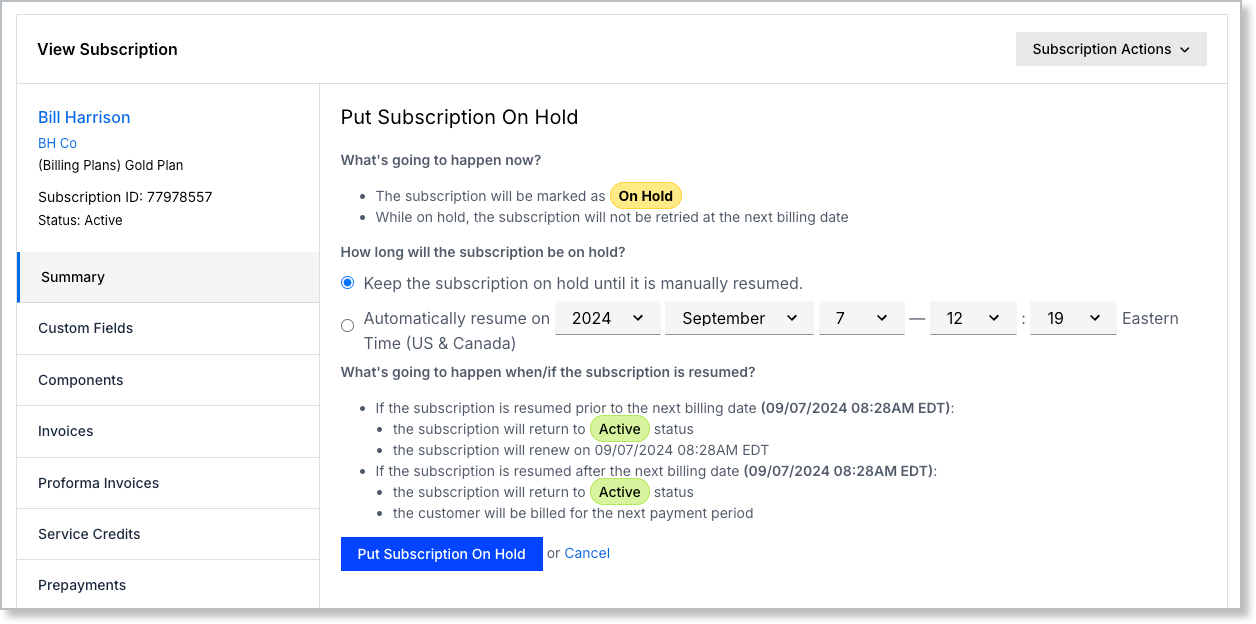
To put a Subscription on hold
- Go to Subscription Actions > Put On Hold.
- Choose how long the Subscription stays on hold:
- Keep the subscription on hold until it is manually resumed, or
- Automatically resume on a specific date and time.
- Review what happens when the Subscription resumes, shown on the same screen: resuming before the next billing date returns it to its prior status and keeps that billing date; resuming after the next billing date returns it to Active and bills the Customer for the next period.
- Click Put Subscription On Hold.
Resume a Subscription from hold
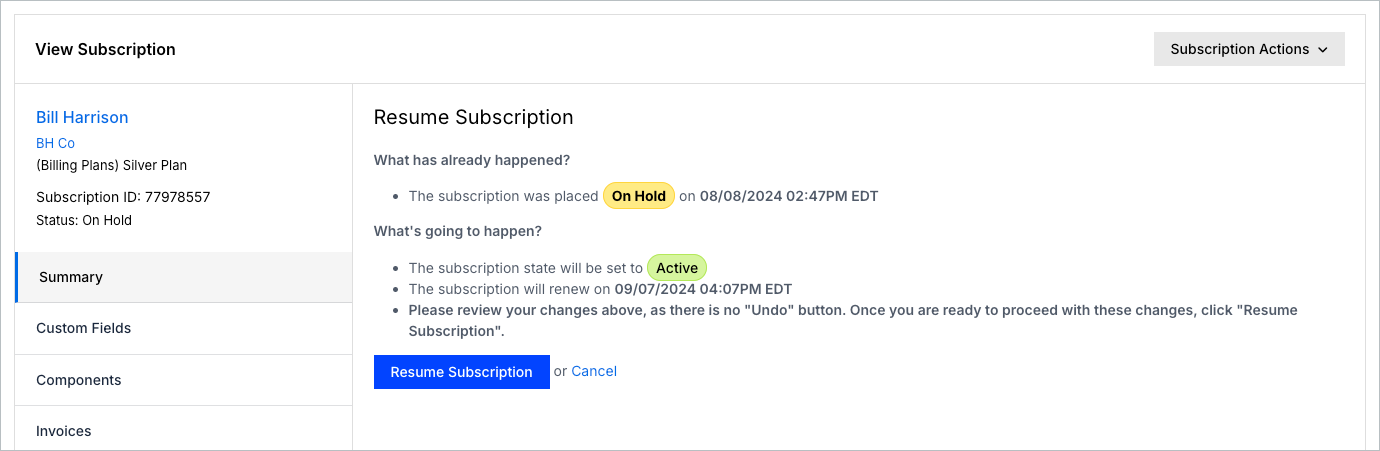
If the Subscription is in the On Hold state, you can resume it in a couple of ways:
- View Subscription > Subscription Actions dropdown menu > select Resume
- View Subscription > next to the Status line, click Resume
Depending on how long it's been on hold, the Subscription either transitions back to Active and keeps its normal next renewal date, or, if that date has already passed, behaves like a reactivation: resetting the billing date to now and charging the Customer immediately.
WARNING: No credit is given for unused time. Advanced Billing Subscriptions are billed in advance, but resuming an On Hold Subscription doesn't automatically push the next renewal date out to account for time that was paid for but not used. This is primarily intended for merchants shipping physical products, where the entire value of the product is delivered shortly after the billing period begins.
Related information
See Subscription Actions Overview for the full list of Subscription actions.
Still need help?
Reach out and our support team will take it from here.