
Understand How A/R Management Works
Last updated on Sep 19, 2026
Use the Advanced A/R Management Add-on to automate reminders, track collection risks, and measure how effectively you collect cash. This overview explains the end-to-end A/R cycle, from invoicing and cadence emails to collection notes and analytics like DSO and AR aging health.
The Cycle
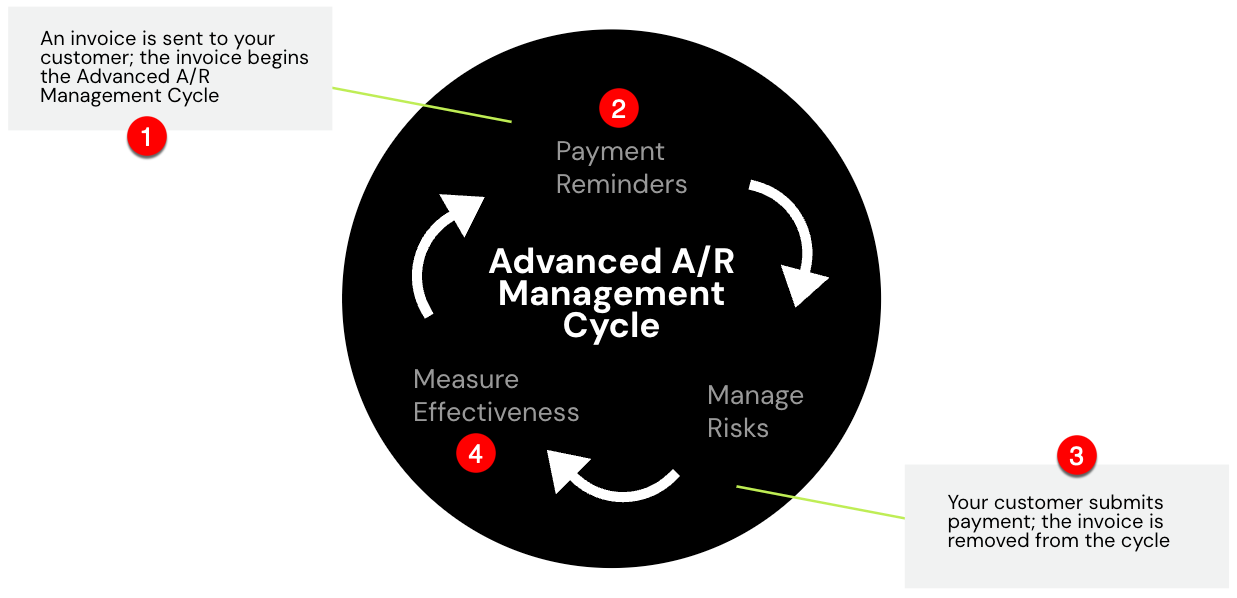
The A/R cycle moves through these stages:
- You send an Invoice to your Customer. This begins the automated cycle.
- Maxio Core automatically sends payment reminders, such as Due Soon or Past Due reminders. These automated reminders are called Cadences.
- Manage payment risks through Collection Notes.
Once your Customer submits payment, Maxio Core automatically removes the related Invoice from the cycle. - Use the Analytics reports (Days Sales Outstanding and AR Aging Health Trend) to measure effectiveness.
The statement cadence, aging periods, and reminder thresholds this cycle runs on are all set in one place; see Collections & Dunning Settings.
Still need help?
Reach out and our support team will take it from here.