
Searching for Coupons
Last updated on Aug 26, 2026
The Catalog view only displays the first 10 coupons in a Product Family. Once a family has more than that, the coupon you want may not be on screen at all — searching is how you reach the rest.
Search for a coupon
Search for a specific coupon by name, code, or subcode when a Product Family has more than 10 coupons.
- On the Setup tab of your site, locate the Coupons section.
- Select View All Coupons.
- Enter the coupon's code, subcode, or name to locate it.
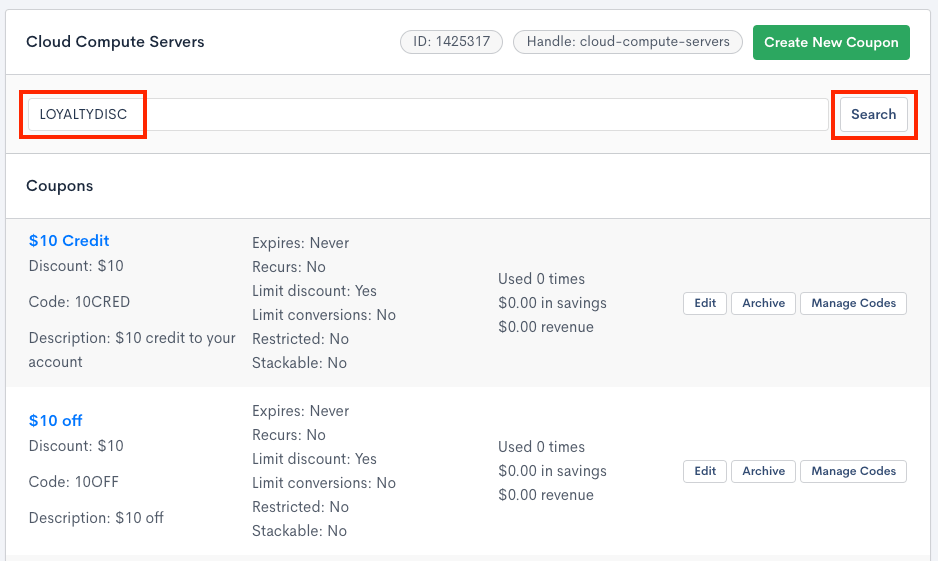 Enter the search criteria for your coupon
What you can search by
Any of the three identifiers will match:
- Name — the descriptive name given when the coupon was created.
- Code — the code a customer enters to redeem the coupon.
- Subcode — an individual code beneath a parent coupon, used where each recipient needs their own single-use code.
Searching by subcode is the way to trace one specific issued code back to the coupon it belongs to.
Related information
To learn what coupons are and how they work, see Understand Coupons.
Still need help?
Reach out and our support team will take it from here.