
Understand Coupons
Last updated on Aug 27, 2026
Use coupons to customize pricing for scenarios your Plans and Products can't otherwise express. Combined with coupon codes, discounts, and promotions, coupons give the Product Catalog more flexibility. Creating one is straightforward: name the coupon, set a code for Subscribers to use (or apply the discount directly), and configure the discount options. Expiration dates let you time promotions in conjunction with your Plans, and coupons can be either one-time or recurring.
Coupon details
Keep these details in mind when configuring a coupon:
- Coupons are applied whenever a recurring charge is assessed at any point in the subscription lifecycle.
- Coupons can either be defined as a dollar amount subtracted from the total, or a percentage subtracted from the total. These rules apply unless there are restrictions present on the coupon, in which case the amount only subtracts from discountable items (see Plan/Product restrictions).
- If no restrictions exist, coupons apply to the total of all charges, instead of just the base fee. This means that any setup fees and Product charges are also discounted by a valid coupon.
- If a free trial exists, the coupon is not applied until an amount is due at the end of the free trial.
- Coupons that are applied for the subscription's next renewal are also applied to mid-period Product allocations, however this does not count as a usage for coupons with a limit. (Note that if the coupon is out of usages or the usage time expires before the next renewal, the discounts are not applied to mid-period allocations).
For amount-based coupons, this can result in applying more credit than was intended. In this situation, the leftover amount is treated as a Pending Discount. To avoid this, you may wish to manually calculate any mid-period Product allocations and use a one-time charge (see Create an Ad-Hoc Invoice) to avoid an additional discount being applied.
To check the current amount for a subscription's pending discounts, navigate to the subscription's Invoices (shown below).
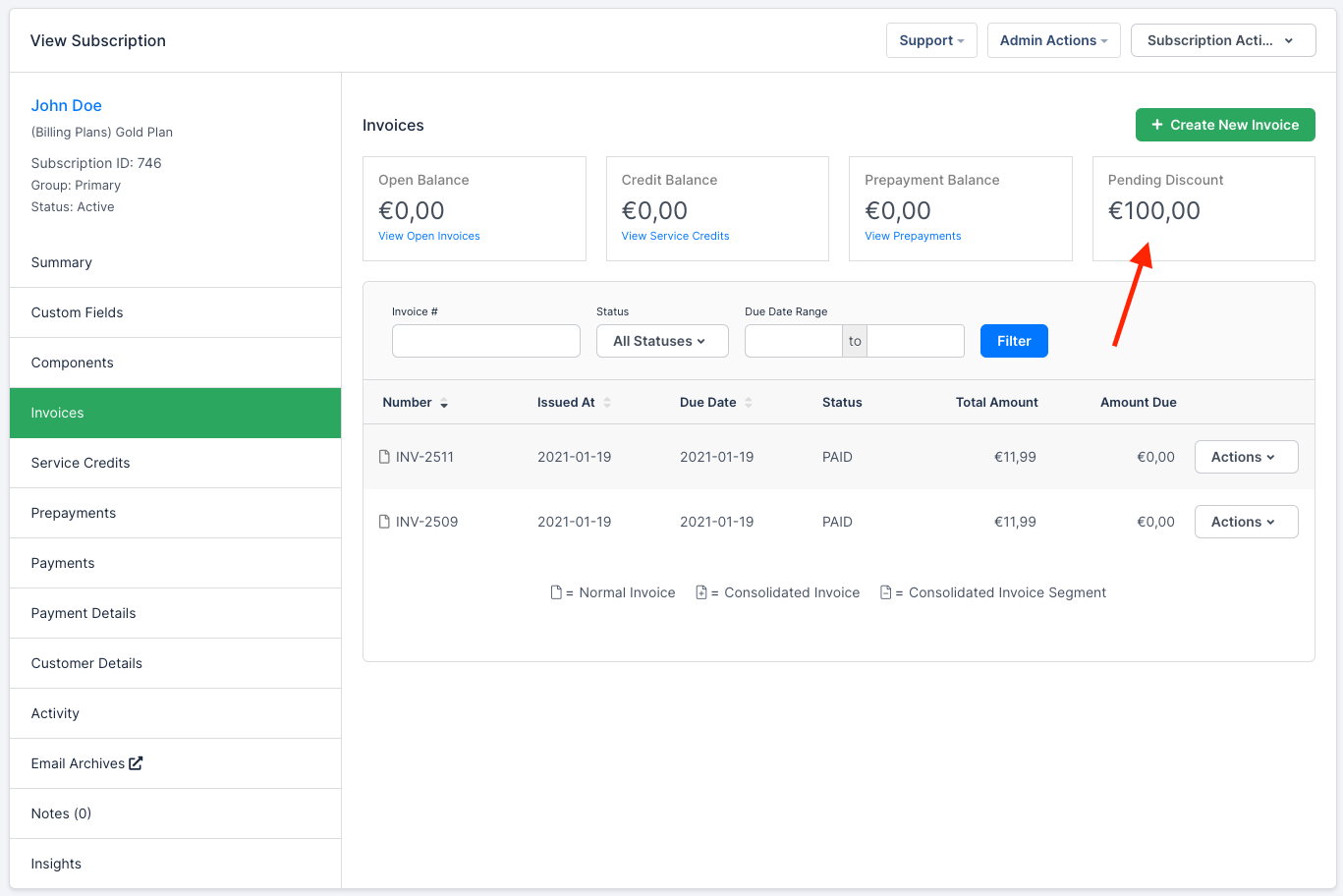
Pending Discount Balance
Working with coupons
Each of the following topics has its own help article covering a specific option for managing your coupons:
Still need help?
Reach out and our support team will take it from here.