
Monitor and Resend Webhooks
Last updated on Sep 19, 2026
Webhooks provide valuable data, but monitoring and debugging them is harder than sending them. Advanced Billing posts to your servers, and as long as your servers are ready to receive them, everything works as expected. When something goes wrong on either side, the Webhooks Panel is where you find out what happened, inspect exactly what was sent, and send it again.
Webhooks Panel
To open the panel, go to Tools > Webhooks Panel.
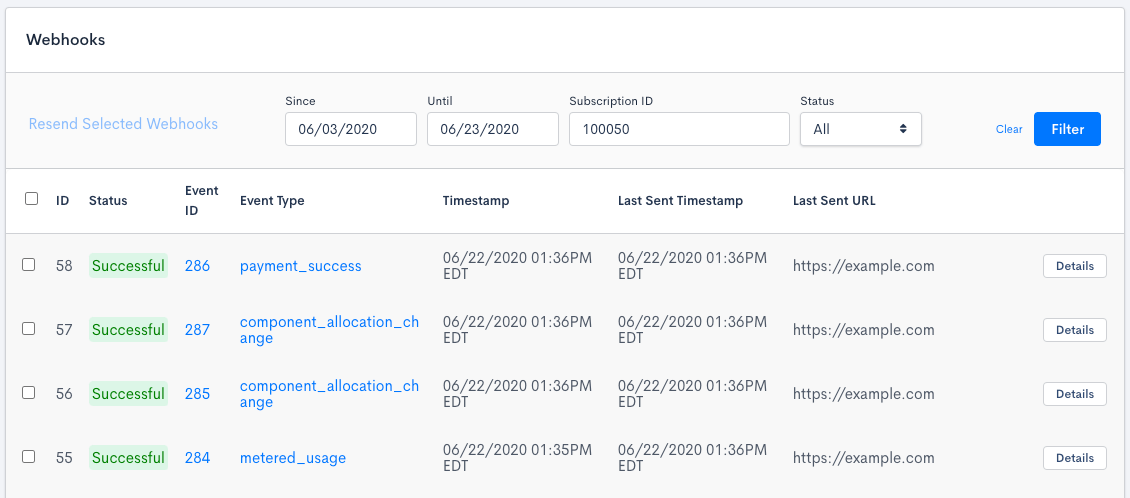
The panel opens showing today only. Since and Until both default to the current date, so a webhook from any earlier day does not appear until you widen the date range.
You can filter by date range, Subscription ID, and status. Status covers the four states a webhook moves through:
- Pending - Created, but not yet sent.
- Paused - Created while the endpoint was paused. It is not sent until you send it manually.
- Successful - Accepted by your endpoint on its last attempt.
- Failed - Not accepted on its last attempt.
Filtering by Subscription ID only works for webhooks that carry a Subscription. Advanced Billing takes the Subscription ID from the payload itself, so an event with no Subscription in its payload, such as customer_create or customer_update, cannot be matched this way.
Searching by webhook ID, event ID, or event type is not supported. Those appear as columns in the results, but not as filters.
Resend a webhook
If a webhook fails, you can send it again.
To resend one or more webhooks
-
Select the checkbox next to each webhook you want to send again.
-
Click Resend Selected Webhooks.
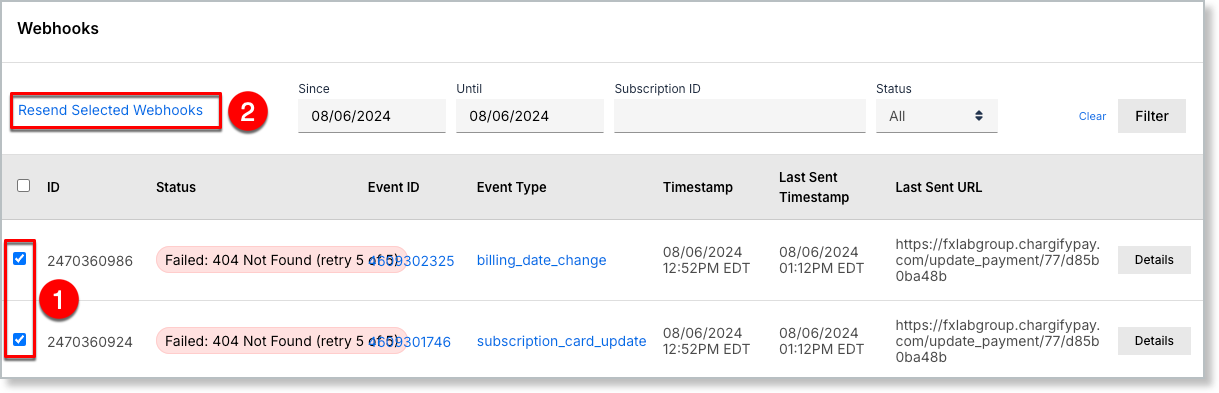
You can resend up to 1,000 webhooks in a single action.
A resend is a one-time attempt. Unlike an original delivery, it is not retried automatically if it fails, so check the result and send it again yourself if you need to.
Webhooks queued for resend are sent as quickly as possible, in the default queue. Some webhooks tied to time-sensitive events use a high-priority queue on their original delivery, which can make that first attempt arrive faster than a resend.
A webhook whose endpoint has since been deleted cannot be resent. See Inoperative endpoints.
View an individual webhook
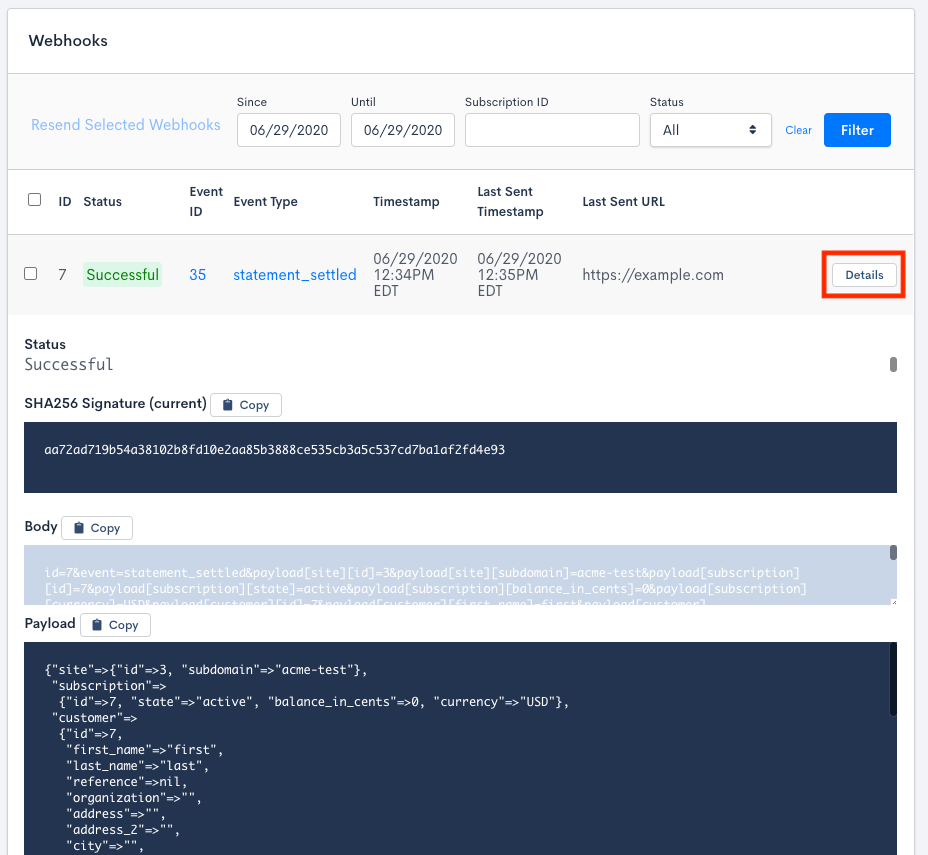
To see everything Advanced Billing sent for one webhook, click Details on its row.
The details view shows the webhook's Status, the SHA256 Signature (current) used for verification, the raw Body of the request as it was posted, and the parsed Payload. Each of the three panels has its own Copy button, so you can check the signature your own code calculated against the one Advanced Billing sent. See Webhook verification.
Related information
Before digging into a specific failure, it helps to know the retry schedule Advanced Billing already applies on its own. Note the difference between retries of an individual event and the total number of failures that mark an endpoint inoperative.
To look up the event key and trigger for a specific webhook, see the Review Webhook Events help article.
For a full sample payload for every event, see the Review Webhook Payload Examples help article.
To change which events an endpoint receives, see the Configure and Test Webhooks help article.
Still need help?
Reach out and our support team will take it from here.