
Managing Components and Usage
Last updated on Aug 26, 2026
The Components (Line Items) tab shows every component available on the subscriber's product, whether or not they have purchased it — along with what each one currently costs, when it next bills, and how much has been used.
Where to find it
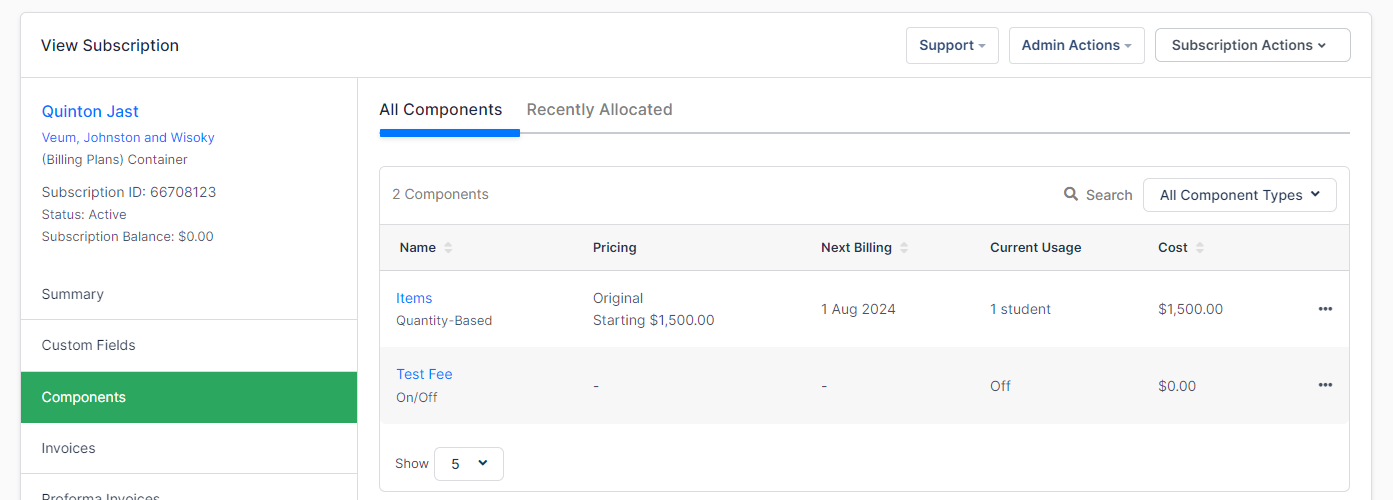
If the subscriber selected components during signup, or to record components manually, select Components (Line Items) from the summary menu.
Each component associated with the product the subscriber has purchased will be displayed in this tab. Even if the subscriber has not purchased any components, all components will be displayed.
What the tab shows
This tab will display the following information about each component:
- Name: The name of the component as it is displayed in the product family.
- Type: Shown under the name, this indicates the type of component. Please see types of components for more information.
- Price Point: The price point this component is on, and the price it starts at.
- Next Billing: The next billing date for this component.
- Current Usage: The number of components used. Metered components reset to zero at the start of every billing period — which is monthly only on monthly subscriptions, and quarterly or annually on longer ones. Quantity-based components carry forward instead.
- Pricing: The current cost associated with the amount of component purchased.
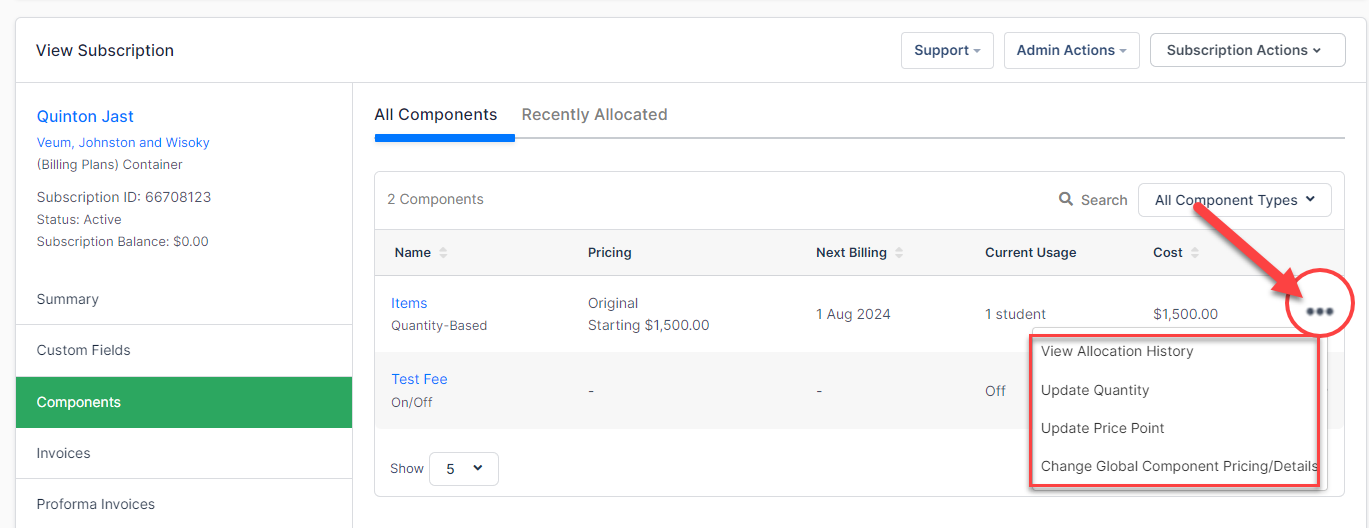
- Actions: Selecting the triple dots lets you view the component's allocation history, toggle it on or off (on/off components), record usage (metered components), and update the quantity (quantity-based components).
Recent allocations
There is also a tab to view recent allocations. Select Recently Allocated to see this screen.
Related information
For more information on configuring components to appear in Public Signup Pages, see Configure components.
Please be aware that this article is related to Advanced Billing's Subscription Summary function. The subscription summary is the place to perform all tasks necessary to manage customers’ purchases through Advanced Billing.
You can learn more about the Subscription Summary by checking out this help article: Subscription Summary Overview.
Still need help?
Reach out and our support team will take it from here.