
Updating Contact and Organization Information
Last updated on Aug 26, 2026
The customer details specify a few crucial pieces of information about the purchaser of your product or service.
- ID: The customer ID of your subscriber. not editable
- Email address: The address on file of the customer
- CC emails: Any CC email address on file. All emails will be CC’d to the following addresses. Separate multiple emails with a comma.
- Phone: The phone number on the file of the customer.
- Organization: The organization/company on file for the customer.
- Reference ID (for your app): Optional.
- Customer Since: The day that your customer signed up for your product. not editable
- Shipping Address: The shipping address on file for your customer.
To edit any customer details, select the ID of the customer. You will be redirected to the customer's entry. Select Actions from the upper right-hand menu to continue.
Please be aware that this article is related to Advanced Billing's Subscription Summary function. The subscription summary is the place to perform all tasks necessary to manage customers’ purchases through Advanced Billing.
You can learn more about the Subscription Summary by checking out this help article: Subscription Summary Overview.
The screengrab below shows the Customer Details of a subscription.
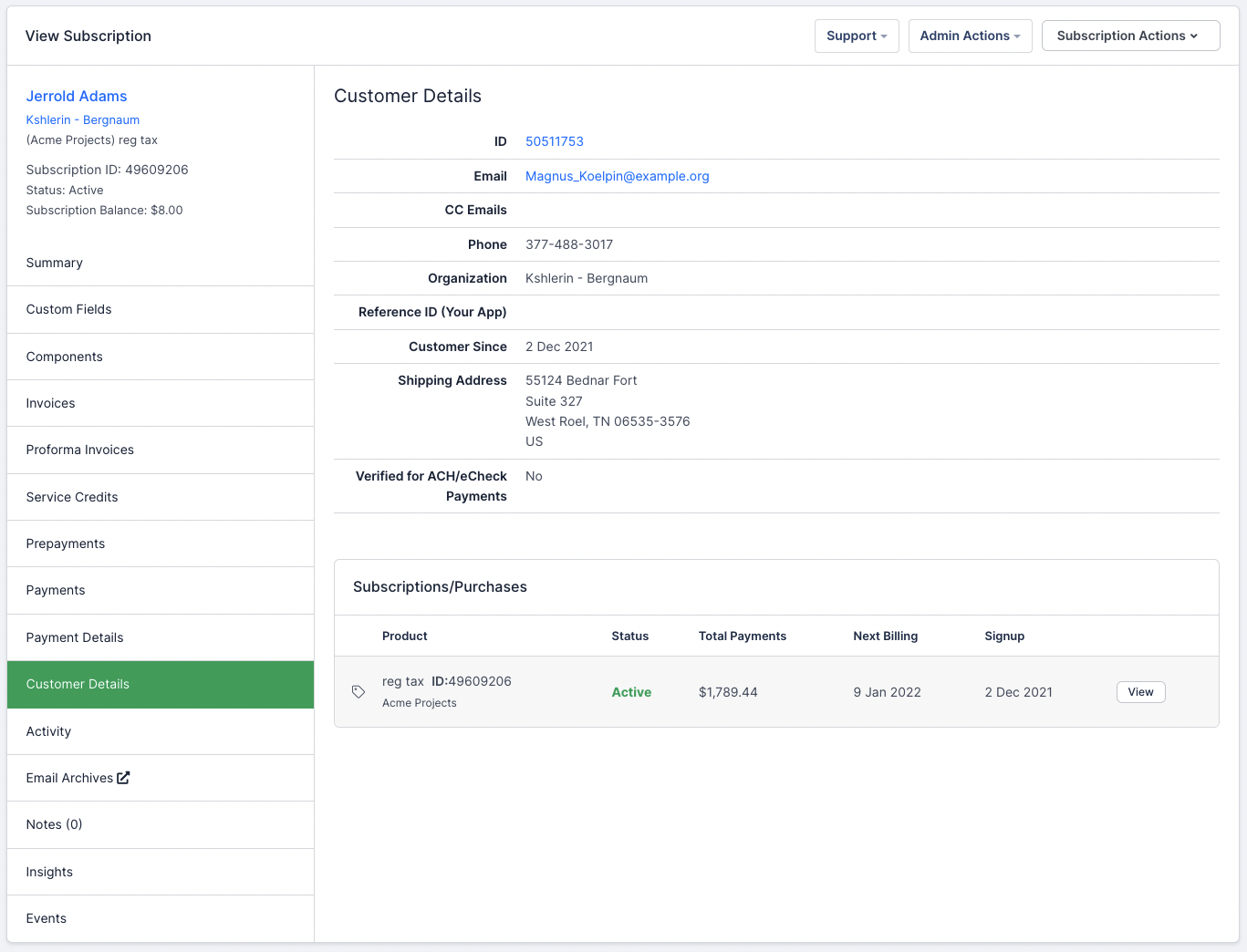
View customer details
Edit customer details
To edit any of the customer's details, select Edit from the Actions menu. You can edit the customer entry directly from the Customer Details view.
Delete customer details
Select Delete to remove the customer entry. You may not delete a customer while they still have subscriptions associated with that entry, so those must be dealt with first. For what you can do to a subscription, see Subscription Actions Overview.
Still need help?
Reach out and our support team will take it from here.