
View Customer Information
Last updated on Aug 26, 2026
View a Subscription's Customer Details tab to see the Customer's shipping and contact information without leaving the Subscription.
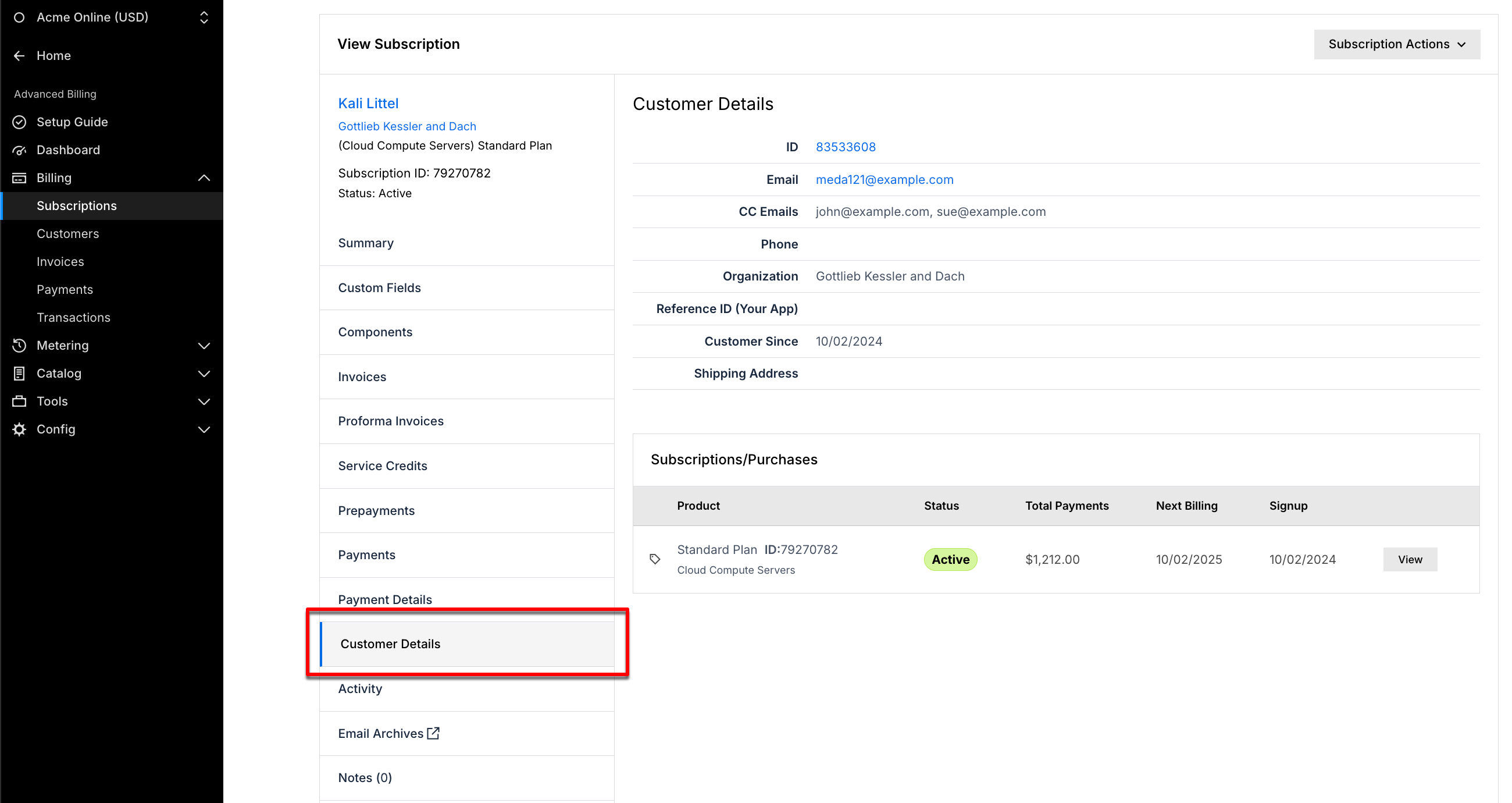
Customer details tab vs. the full Customer record
The Customer Details tab on a Subscription's page is a read-only summary of the Customer, not the full record. It shows the Customer's ID, Email, CC Emails, Phone, Organization, Reference ID, Customer Since date, Shipping Address, and a read-only list of their Subscriptions. It doesn't include the Customer's first and last name, Business Type, Language, Salesforce ID, Tax Exempt status, Payment Methods, or Custom Fields, and it has no Edit or Delete actions.
For the full Customer record, go to Billing > Customers and open the Customer. This is where you edit Customer information, manage Custom Fields, view Payment Methods, and manage Customer Hierarchies and Subscription Groups. See Understand Customers for Subscription Management for how Customer and Subscription records relate.
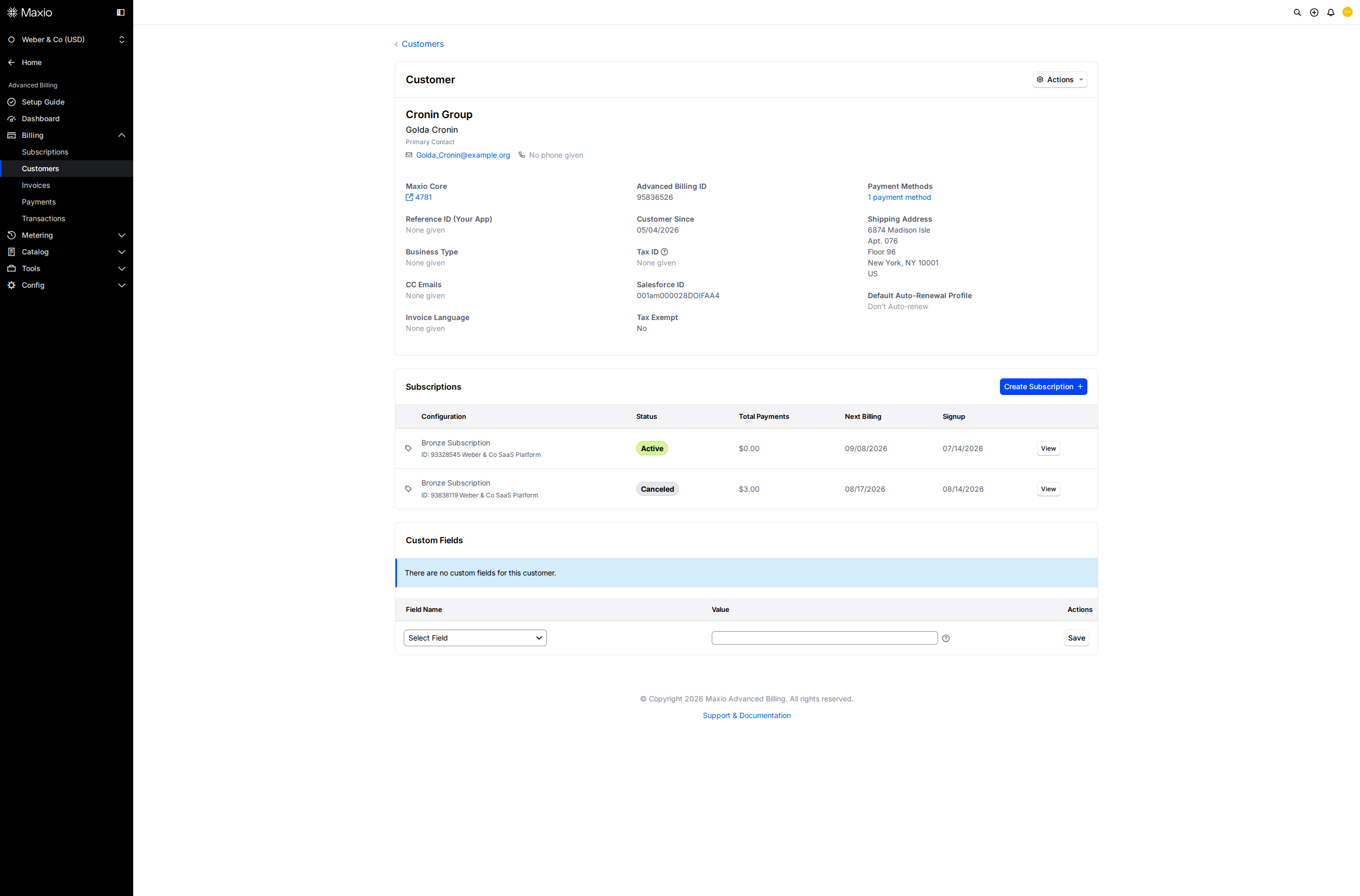
Search for customers
Search from the Customers list to find a specific Customer and access their Subscriptions.
Search by term
Enter a search term to find a Customer by:
- Customer ID
- First name
- Last name
- Email address
- Reference
- Organization/company name
Use more filters
Click More Filters to narrow your search further, by Reference, Tax Exempt status, Verified status, Business Type, Language, Country, State/Province, number of active Subscriptions, Customer Since date, Branding Theme, or any Custom Fields your site has defined. If Customer Hierarchies are enabled, filter by hierarchy nesting too.
Search limitations
The Search field doesn't search by:
- CC email
- Phone
- Address information (city, state, zip, and so on)
- Tax ID
- Plan
Country and State/Province aren't searchable by the Search field either, but they're available under More Filters.
If you need to find a Customer by an attribute that isn't searchable, such as phone or shipping address, export the Customer data and filter the spreadsheet outside of Advanced Billing. See Understand Data Export.
Related information
To update a Customer's contact or organization information, see Updating Contact and Organization Information.
To edit, delete, or export a Customer, see Manage Customers.
Still need help?
Reach out and our support team will take it from here.