
Understand On Hold and Resume Scenarios
Last updated on Sep 19, 2026
Pausing and resuming a Subscription behaves differently depending on its attributes, such as an expiration date, an active trial, or calendar billing.
On Hold scenarios
Only an Active or Trialing Subscription can be put on hold, and only if it isn't a Term Subscription; see Put a Subscription on Hold for the full eligibility rule and procedure. While a Subscription is On Hold:
- Renewals don't occur.
- If the Subscription has an expiration date, it doesn't expire while on hold; the date itself doesn't shift.
- If the Subscription was set to cancel at the end of its period, it doesn't cancel until it's resumed.
- If usage is recorded on a prepaid Subscription, the balance doesn't auto-replenish. If enough usage is recorded that the balance drops below $0, the Subscription becomes Suspended.
Besides the Subscription Actions menu, there are two other ways to put a Subscription on hold or resume it: if your Site allows it, a Customer can do either from the Billing Portal, or you can do either through the API. If a resume date and time were set when the Subscription was put on hold, it also resumes automatically at that time.
Expiration date while On Hold
If a Subscription with a future expiration date is put on hold, the expiration date doesn't shift. The Subscription still transitions to Expired on that original date, even after being resumed.
If the expiration date occurs while the Subscription is genuinely on hold, the Subscription doesn't expire in that moment; expiration is only evaluated once the Subscription resumes and is processed again.
Important: If your Site uses Term Subscriptions, a Subscription whose expiration date has already passed while on hold can't be resumed at all. Shorten the Term or contact support if you need to bring it back.
Resume scenarios
What happens when you resume a Subscription depends on whether you resume before or after its normal next renewal date.
Resuming a Trialing Subscription
A Subscription that was Trialing when put on hold returns to Trialing, with its trial end date unchanged, if resumed before that date. If resumed after the trial end date, it behaves as though the trial just ended: Advanced Billing attempts to charge the normal price and activate the Subscription.
Resuming before or after the renewal date
If you resume before the renewal date, the Subscription becomes Active and nothing else happens until the renewal date arrives; you aren't charged immediately.
If you resume after the renewal date:
-
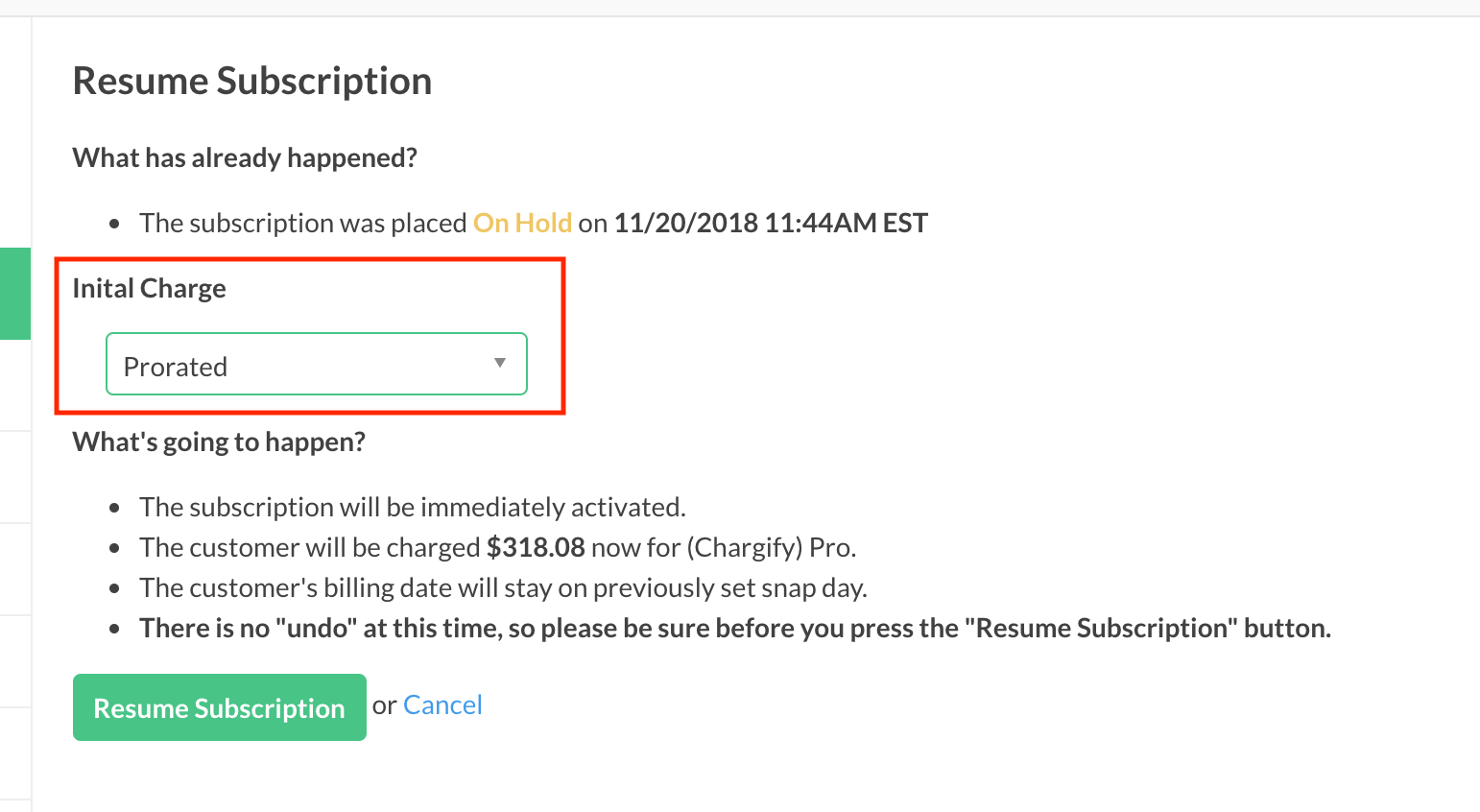
For a Subscription on calendar billing, the billing date moves to the next snap day, and you're charged for the new period according to the Site's resumption charge scheme: prorated, immediate, or delayed. Prorated is the default. You can set the default in Calendar Billing Settings.
-
For a Subscription not on calendar billing, the billing date moves to now, and you're charged for the new period immediately.
If a payment is due on resume and it fails, the Subscription follows the Site's normal dunning strategy.
Example: Jane has a monthly Subscription that renews on March 28. On March 21, she's about to leave for a two-week vacation, so she puts her Subscription on hold until April 4.
- If Jane returns as scheduled on April 4, her Subscription automatically resumes that day. Since her normal renewal date (the 28th) has already passed, she's charged for a full billing period on April 4, and her next renewal date becomes May 4.
- If Jane has to return early, say March 26, and resumes her Subscription herself, this is before her normal renewal date, so the Subscription simply becomes Active again, and nothing happens until the normal renewal on the 28th.
Related information
For the eligibility rule and the procedure to put a Subscription on hold or resume it, see Put a Subscription on Hold.
Still need help?
Reach out and our support team will take it from here.