
QuickBooks Desktop Sync Issues
Last updated on Aug 28, 2026
A QuickBooks Desktop sync failure shows up in one of two places, depending on where the failure happens. Check which one matches what you're seeing, then follow the matching link below.
Errors that Maxio logs on the QuickBooks page
Maxio tracks failures for individual records, such as an invoice or customer that QuickBooks rejects during a sync step, on its own QuickBooks page inside your account.
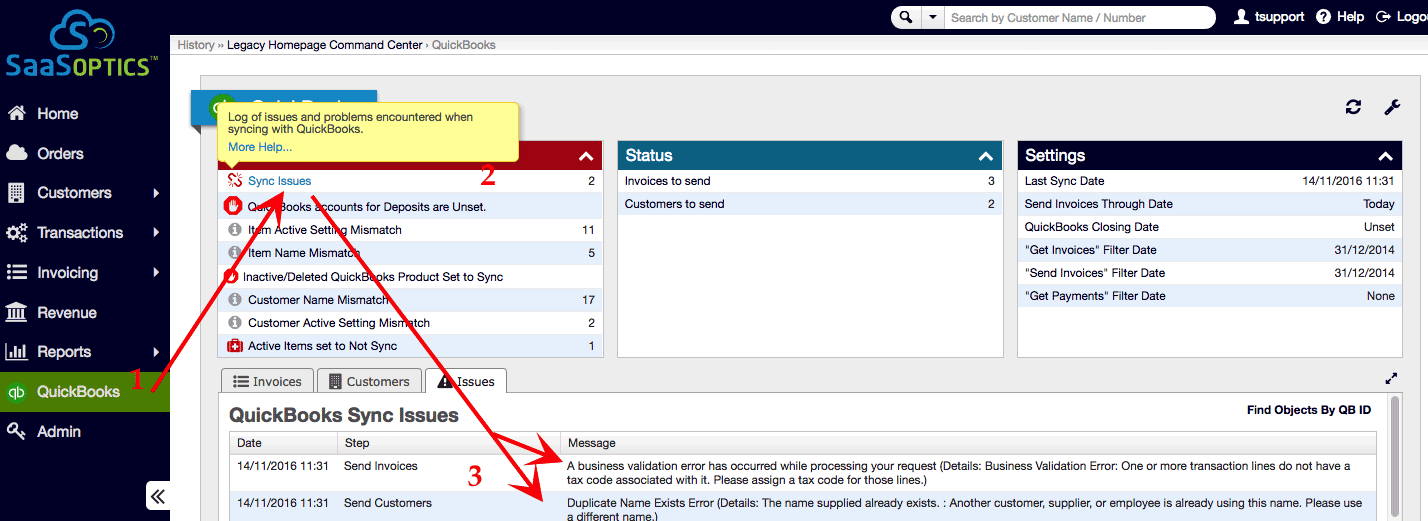
Each error type shown here has its own troubleshooting article covering why it happens and how to resolve it.
| If you see... | See this article |
|---|---|
| A record can't be modified because of the company closing date | An attempt was made to modify a record with a date that is on or before the closing date of the company |
| An invoice line item has a duplicate ID | Invoice Has a Line Item with a Duplicate ID |
| The provided edit sequence is out of date | The provided edit sequence is out-of-date |
| An object in the request can't be found | Object specified in the request cannot be found |
| A string in a field is too long | The string in the field is too long |
| The same tax item appears in both the line items and the transaction tax | You cannot use the same tax item in both the line items and the txn tax |
| A deposit references an invalid QuickBooks account | There is an invalid reference to a QuickBooks Account in the Deposit |
| A payment is larger than the invoice amount due | You Cannot Pay More Than the Amount Due |
| A payment isn't in the Payments to Deposit list | Payment Not in the Payments to Deposit List |
| An invoice's AR account currency doesn't match | Invoice AR Account Currency Mismatch |
| A customer's email address is missing or malformed | Bad or Missing Email Address |
| An invoice uses the wrong template type | Incorrect Template Type |
Errors that the QuickBooks Web Connector displays on your computer
The QuickBooks Web Connector, the application that runs on your PC or server to move data between QuickBooks Desktop and Maxio, reports its own errors separately in its Status column.
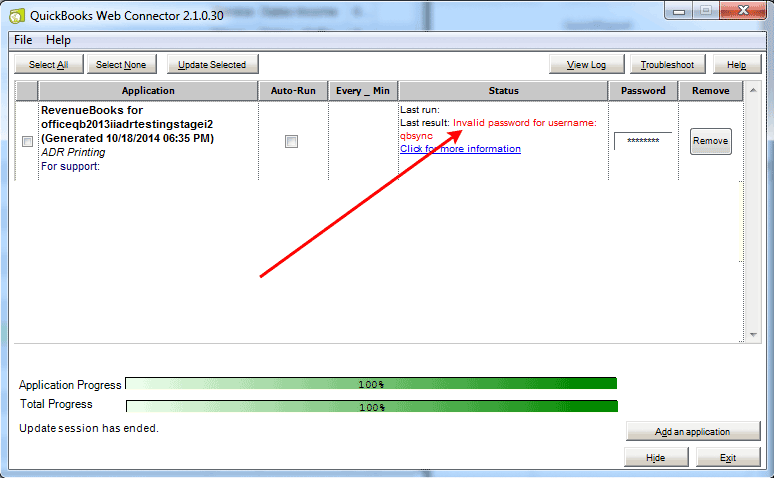
For the full list of these messages and how to resolve them, see QuickBooks Web Connector Errors.
Related information
If the Web Connector won't reconnect at all or keeps failing regardless of the specific message it shows, disconnecting and reconnecting the integration often clears the underlying issue; see Disconnecting and Reconnecting with QuickBooks Desktop.
If the Web Connector's error log looks empty even though a sync just failed, see There Are No Entries in the Web Connector Log File for why that happens.
Still need help?
Reach out and our support team will take it from here.