
QuickBooks Online Sync Issue: Invalid Email Address Format
Last updated on Aug 28, 2026
Why an email field with extra text fails to sync
Maxio sends the value in a Customer's QuickBooks email field to QuickBooks exactly as it's entered, whether that's the Customer record itself or, for QuickBooks Online, an Invoice's billing email address. QuickBooks only accepts a single, properly formatted email address in that field, so a value containing anything else, such as a person's name, gets rejected and the sync fails.
Remove the extra text from the email field
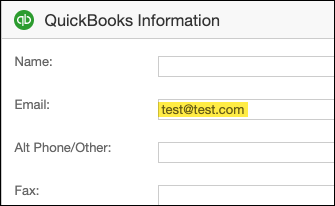
Remove anything from the Customer's QuickBooks email field that isn't part of the email address itself. Example: if the field contains John Smith <jsmith@test.com>, delete everything except jsmith@test.com.
The QuickBooks email field only accepts the email address itself, with no name or other text attached:
Related information
For steps on managing Customer records, see Manage Customers for Contract Workflows.
Still need help?
Reach out and our support team will take it from here.