
Create Coupons
Last updated on Aug 27, 2026
A coupon applies a discount, either a set amount or a percentage, to a subscription. Create one in your Advanced Billing product catalog by entering its details, configuring the discount itself, and setting the advanced options that control where and how long it applies.
Summary - Create a coupon
- Feature
- Coupons
- You Need
- Access to your company's price book
- Code
- None
- Difficulty
- ◉◎◎◎◎
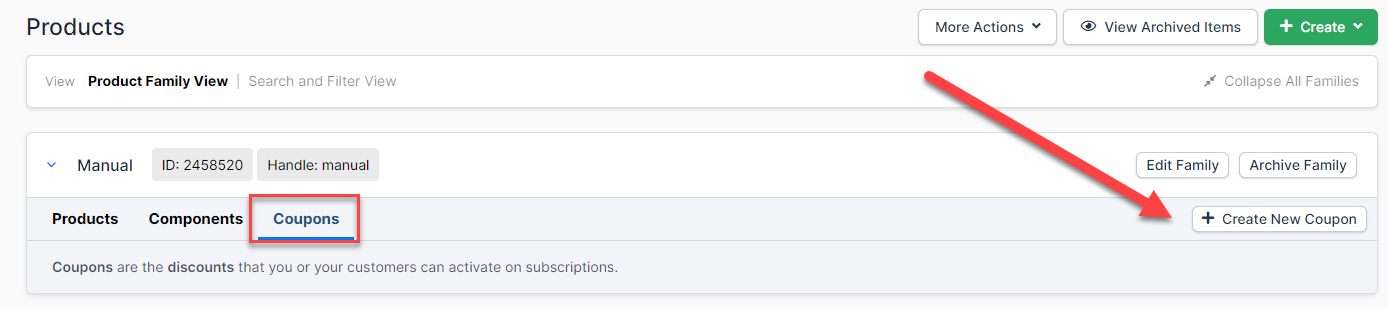
1. Create new coupon
Open the Products page and select the Coupons tab.
2. Set up coupon details
Name the coupon, give it a code your customers can redeem, and describe what it does.
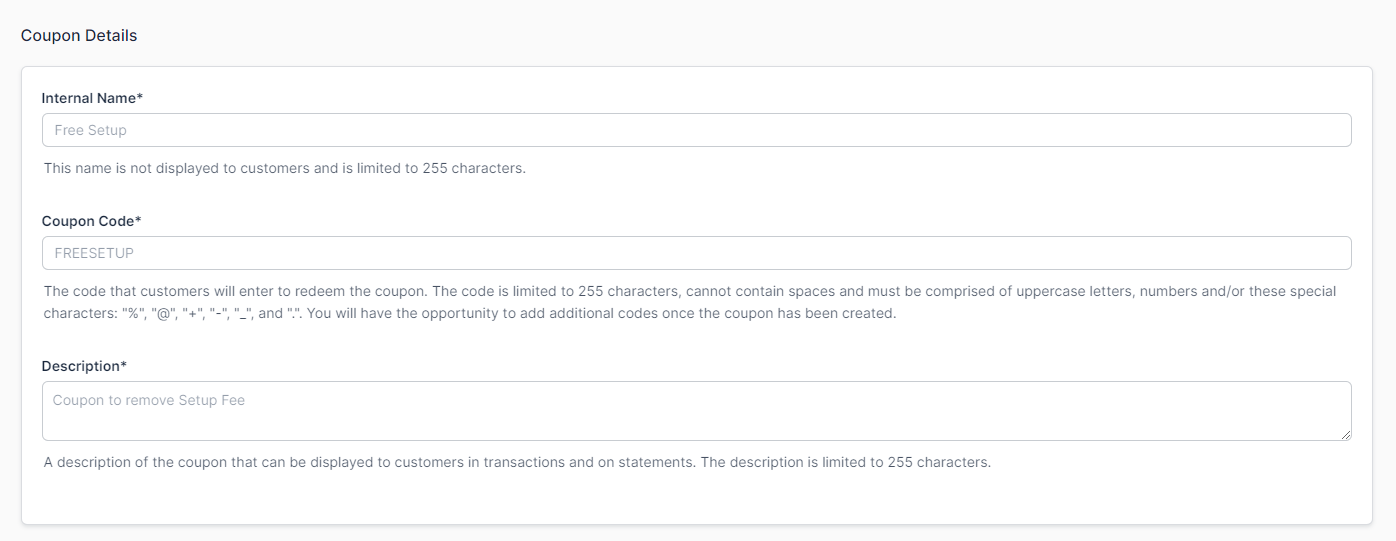
| Field | Description |
|---|---|
| Internal Name | (Required) A name for the coupon that doesn't display to the customer. Use it to identify the coupon internally. |
| Coupon Code | (Required) A code that a customer can use to redeem this coupon. You can create additional codes after creating the coupon. |
| Description | (Required) A description of the coupon that can display to customers in transactions and on statements. |
3. Set up discount configuration
Choose how much the coupon takes off, and what happens to any unused credit.
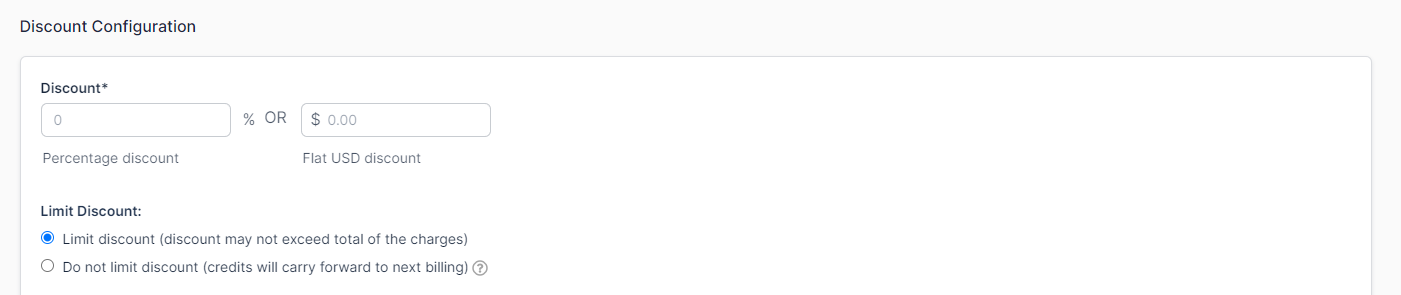
| Option | Description |
|---|---|
| Discount | (Required) The amount taken off the price, as either a percentage or a flat amount. |
| Limit Discount | A flat-amount discount can leave unused credit. Choose whether that credit carries over or is limited to the current charge. |
4. Set up advanced options
Control where the coupon applies, how long it lasts, and how it behaves alongside other coupons.
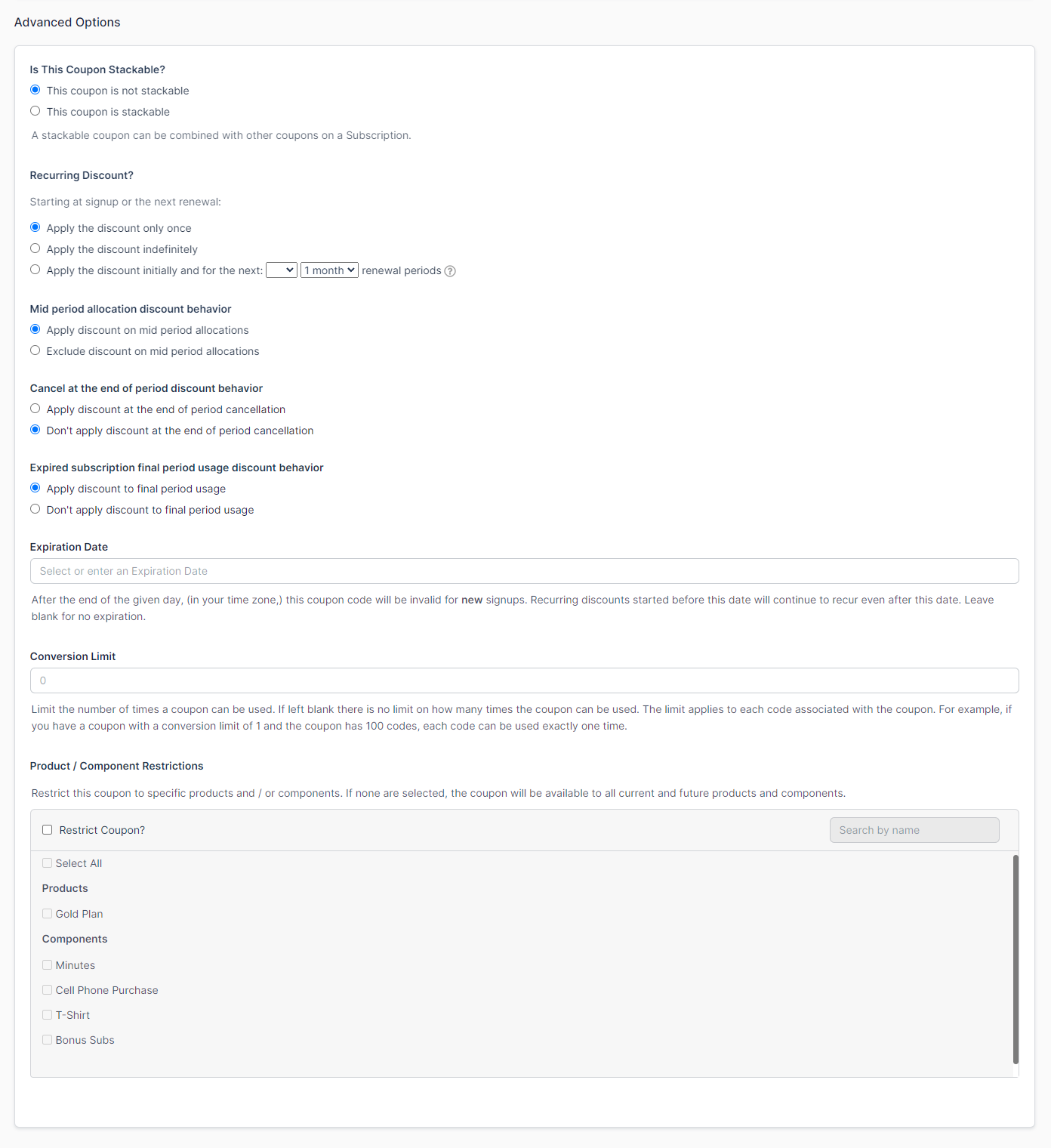
| Field | Description |
|---|---|
| Is This Coupon Stackable? | Choose whether the coupon can be used with other coupons. |
| Recurring Discount? | Choose whether the coupon applies only once, indefinitely, or over the course of a time period. |
| Mid period allocation discount behavior | Choose whether the coupon can be used mid-period, or applies to the next invoice instead. |
| Cancel at the end of period discount behavior | Choose whether the discount applies at the end of a period of cancelation. |
| Expired subscription final period usage discount behavior | Choose whether the coupon can apply to an expired subscription with leftover usage that still needs payment. |
| Expiration Date | Set a date after which the coupon expires and can no longer be used. Leave blank if it can be used indefinitely. |
| Conversion Limit | Set the number of times each coupon code can be used before it expires. |
| Product / Component Restrictions | Select which products and components this coupon can discount. |
Related information
To add a coupon to an existing subscription rather than creating a new one, see the Add New Coupons help article.
Still need help?
Reach out and our support team will take it from here.