
Configure Status Emails
Last updated on Sep 19, 2026
Configure status emails in Advanced Billing to receive automatic daily notifications about payments, signups, and site activity. The Daily MRR Status Emails feature is part of the legacy Insights reporting framework and is disabled by default for newer merchants. Use MRR reporting in Maxio Core for current, accurate MRR data.
Set up status emails
Go to Config > Settings > Status Emails, which requires the permission described as manages product catalog, settings, and integrations. Select the status emails you want to receive each day. Status emails are available only for sites in LIVE mode; sites in TEST mode don't generate them.
Once enabled, Advanced Billing delivers a daily summary email to the address in the Merchant Info section of your site. This is the account-wide email address that functions as the default "From" address for emails that Advanced Billing sends on your behalf.
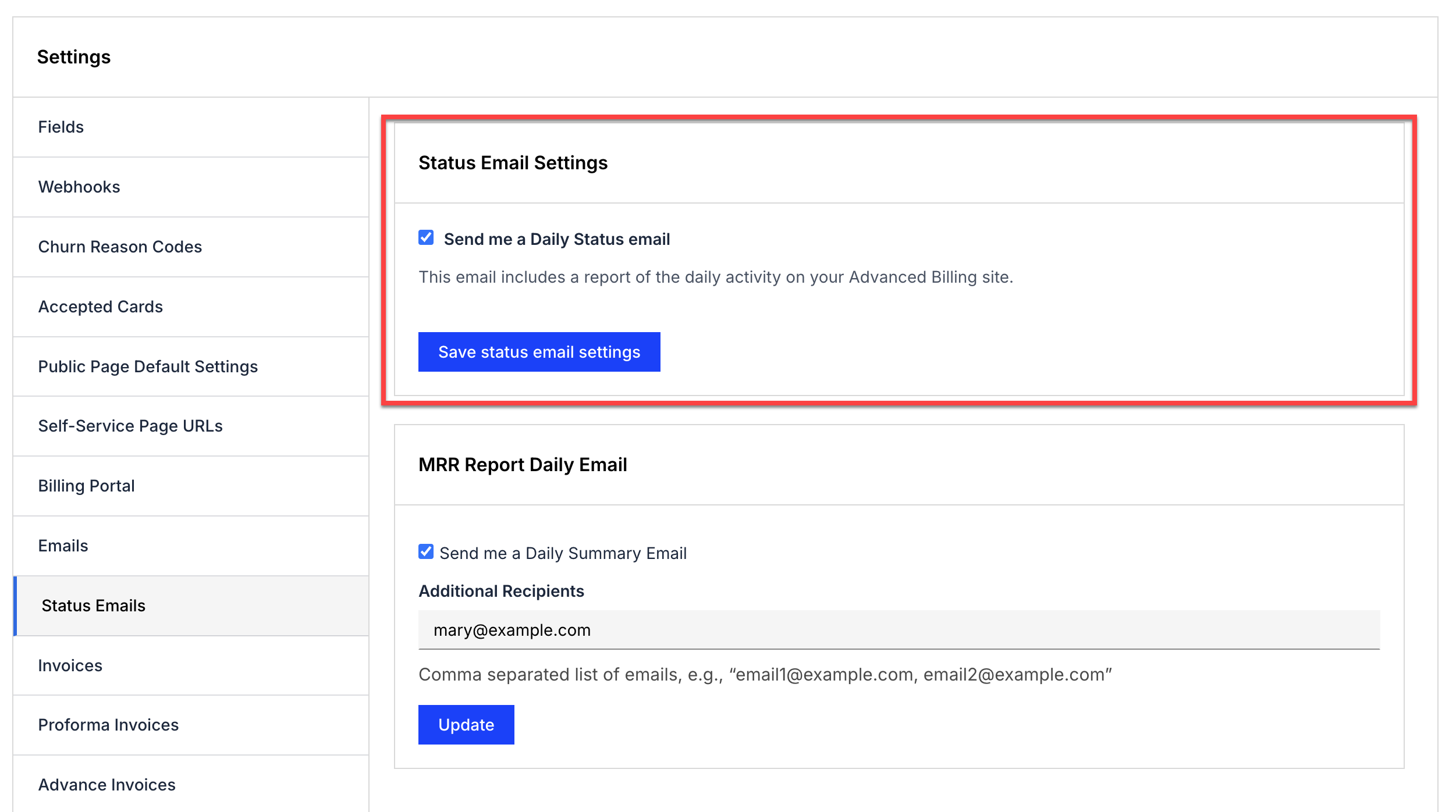
Each daily summary email contains:
- Revenue: Amount of money received that day.
- Signups: A count of how many successful signups on that day.
- Failed Signups: A count of how many failed signups on that day.
- Successful Payments: A list of each subscriber and the amount successfully charged or recorded.
- Failed Payments: A list of payments that failed and the amount of the attempted charge.
- Refunds: A list of refunds issued that day.
- Customers in Dunning: A list of all subscribers in dunning, the amount owed, and the number of days they have been late to pay.
- Expired Cards: A list of all subscribers with expired cards, showing the last 4 digits.
- Cards Expiring Soon: A list of all subscribers with cards expiring soon, showing the last 4 digits.
Daily MRR status emails
Daily MRR Status Emails are part of the legacy Insights reporting framework in Advanced Billing, which is disabled by default for newer merchants. Because this framework does not support newer Advanced Billing features and calculation methods, legacy MRR reports may not accurately represent your current MRR. Maxio recommends using MRR reporting in Maxio Core for up-to-date MRR data.
If the Insights reporting feature is enabled on your site, you can enable daily receipt of an MRR summary email and specify additional email addresses to receive it. This setting applies to your user ID only. Each user enables or disables it independently.
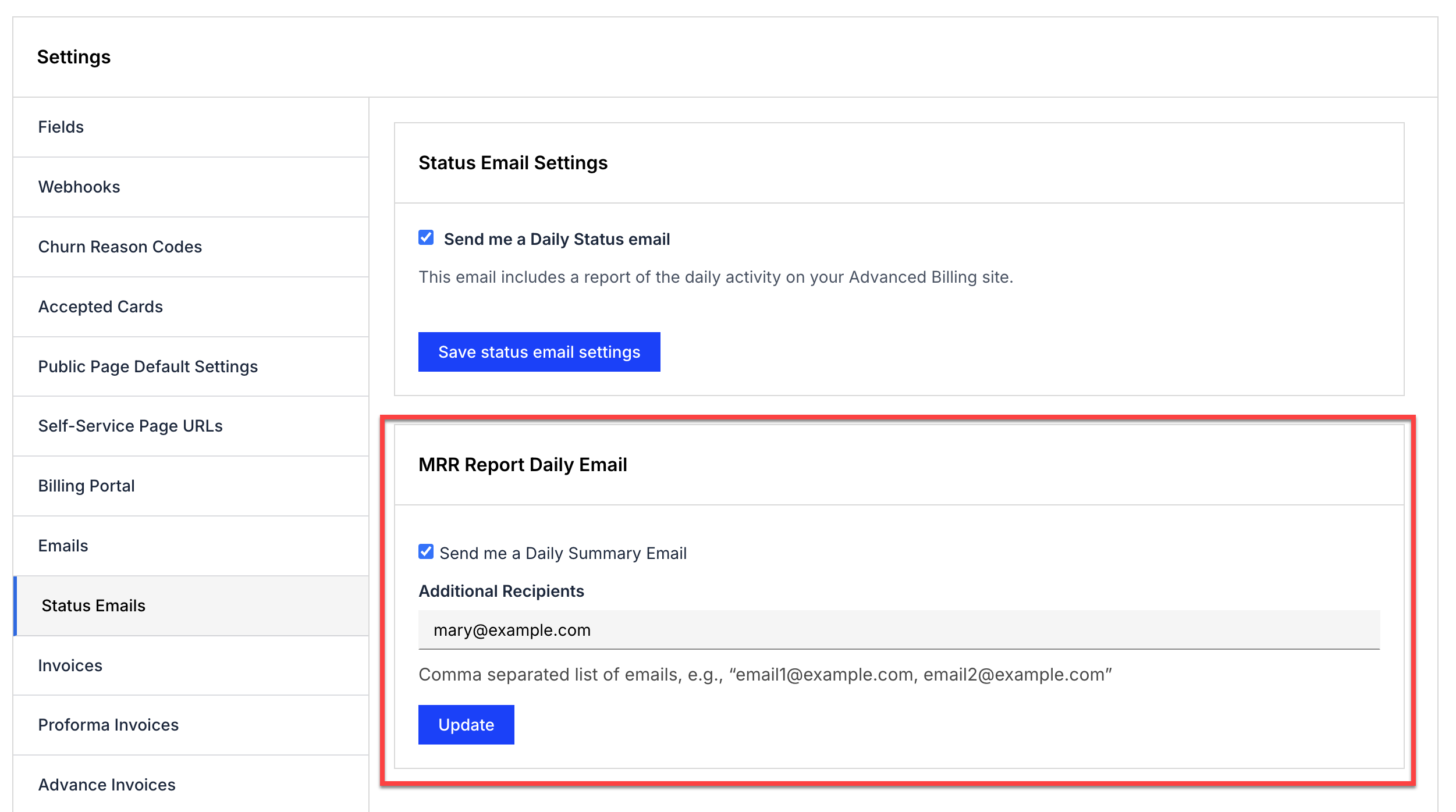
Within the MRR summary email, select "View activity and breakdowns" to view your current MRR for the site. To stop receiving the emails, select "opt-out" at the bottom of any MRR summary email.
Related information
For why MRR figures can differ between Advanced Billing and Maxio Core, see the Understanding Reporting Differences Across Platforms help article.
Still need help?
Reach out and our support team will take it from here.