
Understand Net Terms
Last updated on Sep 19, 2026
You can configure a default Net Terms value for subscriptions at the site level. This value applies automatically when none is given at signup, except for prepaid subscriptions, which default to a Net Terms of 0 rather than the site default. Net Terms determine how many days after a subscription renews the automatic payment is collected, giving clients time to review invoices before charges are made. You can set this value during subscription creation or adjust it later in the Subscription Summary pane.
For grouped subscriptions, you may only set Net Terms on the parent subscription; all child subscriptions follow the parent's Net Terms. Un-grouping a child subscription resets it to the Site Default.
When Net Terms apply
Net Terms apply at a subscription's renewal by default, as well as to mid-period changes such as component allocations and price point changes. You can also apply Net Terms to a subscription's signup invoice: select Enable Net Terms on Remittance Signup Invoices for subscriptions using remittance (manual) collection, or Enable Net Terms on Automatic Signup Invoices for subscriptions using automatic collection.
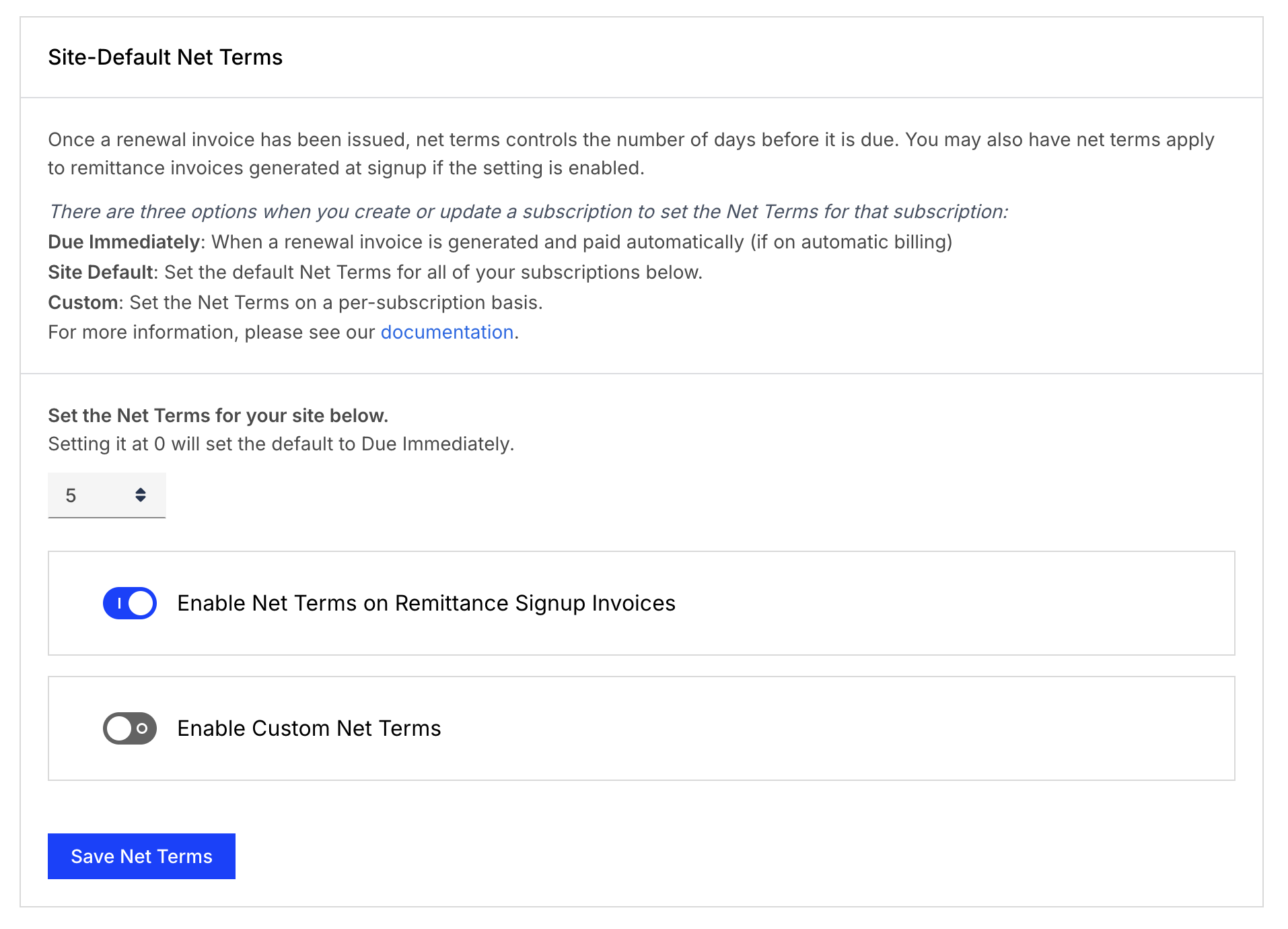
Net Terms don't apply to the signup invoice for a paid trial.
Net Terms options
There are 3 options for Net Terms:
- Due Immediately: Subscriptions created with a Net Terms of "Due Immediately" have 0 Net Terms and are automatically paid when the subscription renews (if on automatic billing) by the primary payment profile.
- Site Default: You can customize a default value for new subscriptions by visiting the Settings page. This value is pre-selected when you create a new subscription, and unless you override it, the subscription's due date falls that many days after the Invoice is issued.
- Custom: You can customize the Net Terms on a per subscription basis as part of the creation process. Acceptable values are between 1-180 days from Issue.
Custom Net Terms options
The default Net Terms value applies to both automatic and remittance invoices. To set a different value for each, select Enable Custom Net Terms, then choose the values for automatic and remittance invoices separately.
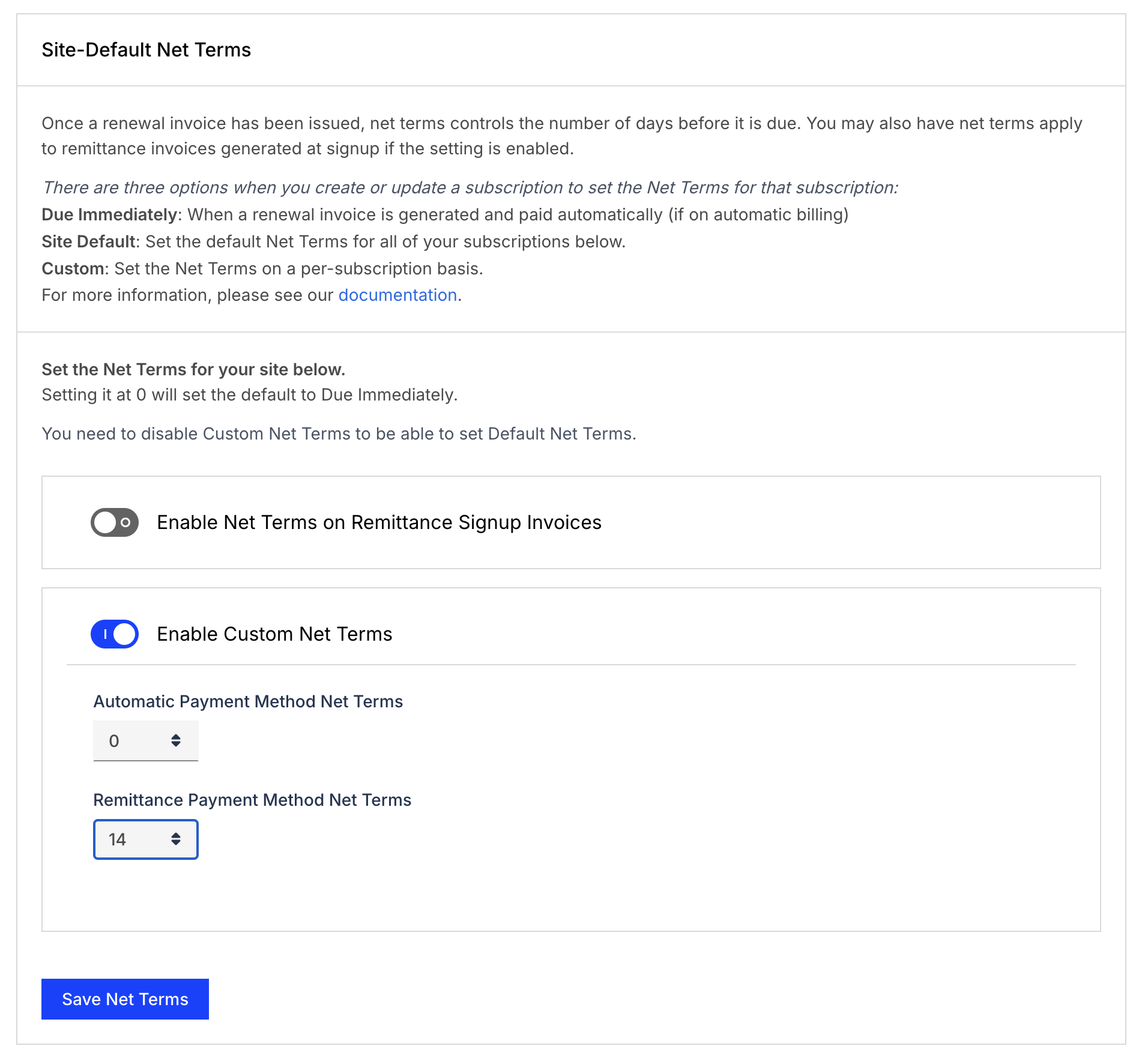
See the Manage Invoices Settings help article for the rest of your invoice configuration.
Related information
Prepaid subscriptions default to a Net Terms of 0; see Configure Prepayment Settings for the rest of your prepayment configuration.
To set Net Terms while creating a new Subscription, see Create a Subscription.
To select Net Terms on a one-time charge, see Create an Ad-Hoc Invoice.
For how Net Terms determine a Pending Invoice's Due Date, see Configure Backdated Usage.
Still need help?
Reach out and our support team will take it from here.