
Set a Customer Locale
Last updated on Sep 19, 2026
A customer's Locale is what tells Advanced Billing which translations to use on their invoices. Set it when you create or edit a customer.
The two parts of a locale
A full locale has two parts:
- Language - (Required) The language for this customer.
- Country/Region - (Optional) The region for this locale. This is not tied to any address on file for the customer, so setting one doesn't change the other.
The region is what distinguishes variants of the same language from one another. Because it is optional, a language on its own is a valid locale.
Where the locale appears
The locale appears on both the customer details page and the customer edit page.
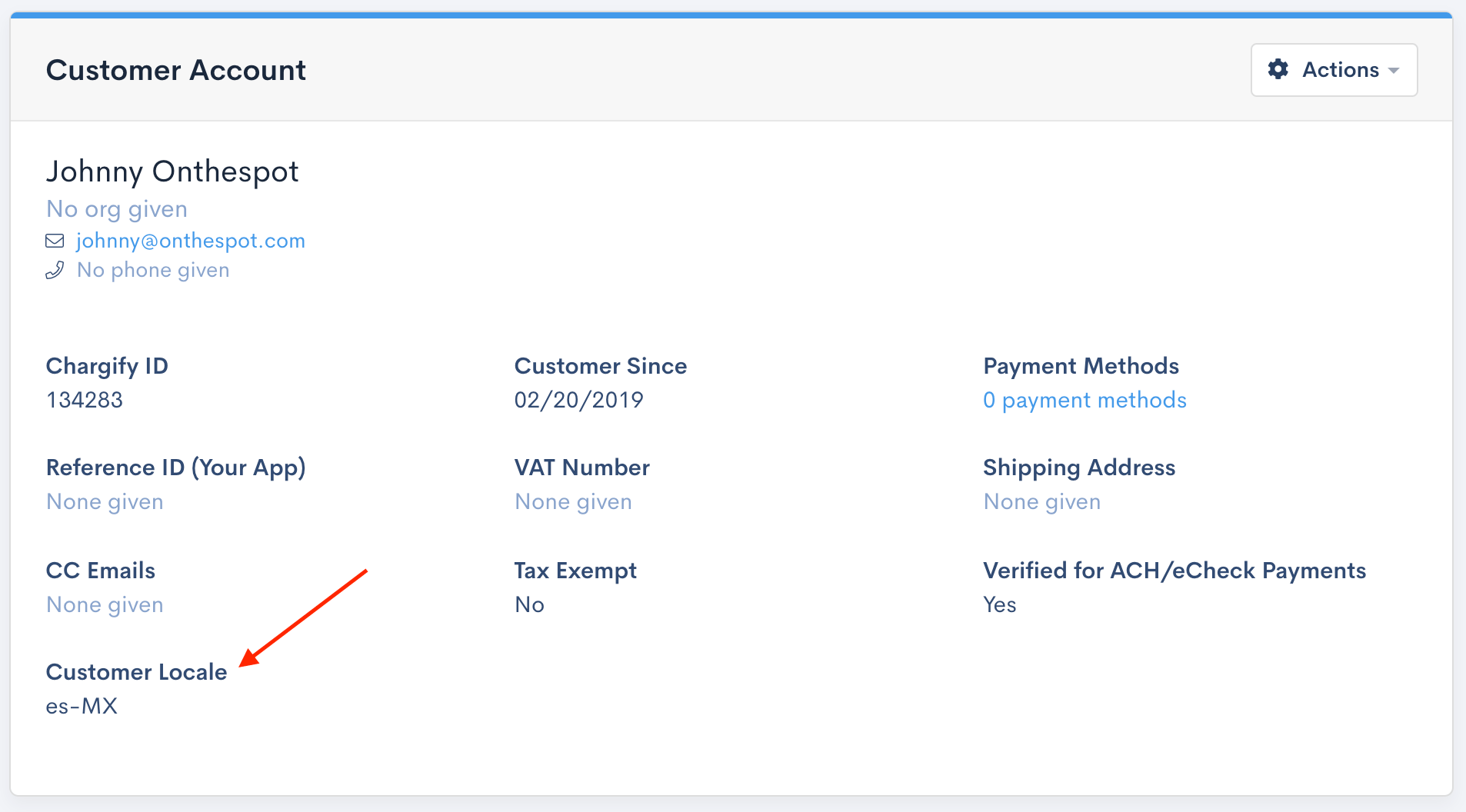
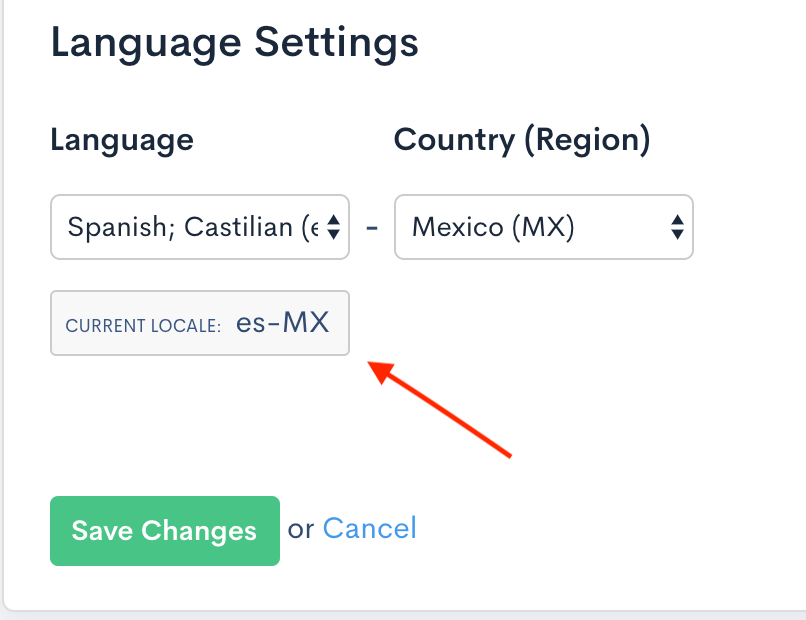
Locale and address are independent
Setting a locale does not change the customer's billing or shipping address, and changing an address does not change the locale. A customer with a French address can be invoiced in English, and a customer with a US address can be invoiced in Spanish: the locale is a separate decision about language, not a property derived from where the customer is.
For the wider feature this setting belongs to, see the Understand Multi-Lingual Invoices help article.
Related information
For how a locale turns into translated Invoice text, see Understand How Languages Apply to Invoices.
To add a language or change its wording, see Create and Customize Languages.
For the feature as a whole, see Understand Multi-Lingual Invoices.
Still need help?
Reach out and our support team will take it from here.